


Finite-State Machines: Better than flowcharts

Process diagrams in Docuo have a characteristic shape: circles and arrows. Have you ever wondered where this way of describing a workflow comes from? Its name is “Finite-State Machines”, and they are an alternative to flowcharts for representing business processes.
In this blog post (we will warn you now, it is a bit geeky) we tell you their history and their advantages and drawbacks compared with the other common type of diagram used to represent processes: flowcharts.
The origin of flowcharts
Flowcharts have proved flexible and adaptable for mapping, describing and explaining a wide range of processes.
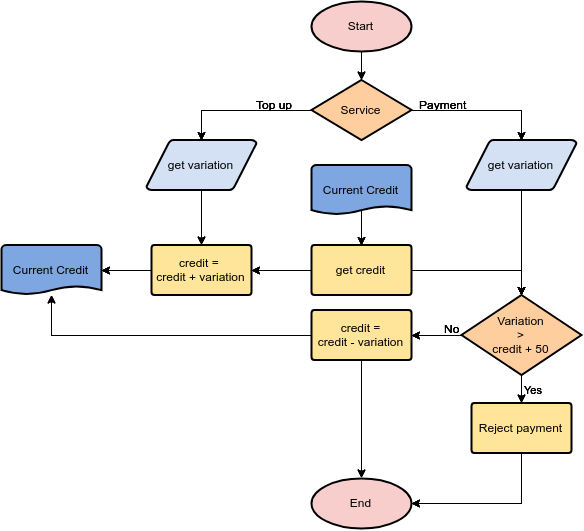
The development of the flowchart as a logical tool goes back to the 1920s, when Frank and Lillian Gilbreth presented it to members of the American Society of Mechanical Engineers (ASME) in 1921.
The methodology was quick to win favour with the engineering community, and by the 1930s it was already being used to help business people simplify their work. In the 1940s, American companies such as Procter & Gamble were applying the principles to define processes. Others used the technique to map the handling of information by modelling multiple documents and their relationships.
Flowcharts for business and programming
In 1947, ASME adopted a set of logical flowchart symbols, and the mathematicians Herman Goldstine and John von Neumann developed programming flowcharts for the planning and coding problems of an electronic computing instrument. Flowcharts remained an essential tool for computer programmers describing algorithms until the 1970s, when technological change led to a decline in their popularity.
Flowcharts are far from gone, however. They are still widely used to develop a high-level understanding of process flows. Not only in software, of course; many of us have probably sketched a rough flowchart to illustrate to ourselves or to others how a business process should work.
Seen this way, flowcharts usually model how people make decisions in a given process flow.
Flowcharts are perfect for representing the decisions a user has to make, but they do not always describe the business process.
As a result, when user actions become complex or the process requires several people to cooperate, the overall business process becomes harder to make out in the flowchart. As the diagram grows more complicated and more focused on decisions, it becomes less representative of the process.
Ultimately, flowcharts representing business workflows are useful for training new people in decision-making, but less so for analysing or modelling the business process itself coherently and reliably.
What are finite-state machines?
Finite-State Machine (FSM) diagrams, also known as Finite Automata, were first used by neurophysiologists (Warren McCulloch and Walter Pitts), biologists, mathematicians, engineers and some of the first computer scientists (G.H. Mealy and E.F. Moore). They all shared a common interest in trying to model the process of human thought, whether in the brain or by replicating it with a computer. This is automata theory, first presented in 1943 and defined more precisely in the 1950s.
Put simply, instead of focusing on decision-making, there are two main questions to represent in an FSM diagram. First, how many different states can a given machine (or process) be in throughout its life cycle? And second, in what ways can the machine move from one given state to another?
Rather than listing a user’s decisions, Finite-State Machines focus on the possible states of a process, and on how it is possible to move from one state to another.
Compared with flowcharts, which use up to nine ISO/ANSI logical symbols, FSM diagrams need only two: circles, representing the state of a machine, and arrows, denoting a machine transition.
A circle represents a state the machine can be in at a given moment. An arrow going from state A to state B represents an action that can move the machine to state B, provided its current state is A. States are usually named as state descriptors (“hungry”, “sated”) and transitions are usually named as action descriptors (“eat”) or events (“5 hours have passed”):

The initial state the machine starts in has no incoming transition. Final states (there can be many) have no outgoing transitions and are the end of the process or machine’s life cycle. In FSM diagrams, initial and final states are represented with a double circle, while normal states are represented with a single circle.
Why are they better for workflow?
With a methodology based on finite-state machines, organisations have a better way of modelling, analysing and representing business processes that involve a great deal of decision-making or collaboration among a team of people.
That is because FSM-defined workflows put processes front and centre. They define how a given objective is to be reached in the context of the organisation, and how many different states the information can be in during that process. As a result, the process described through FSM is independent of people’s roles.
Say we use an FSM diagram to define the workflow of a sales proposal. It can only be in one of a defined number of states or conditions at a time. The states might be “being written”, “management review”, “sent to client”, “accepted” or “rejected”. Transitions define the actions that change the document’s state. The actions that move the document from one state to another would be: “send to manager”, “changes needed”, “send to requestor”, “requestor accepts” and “requestor rejects”:

Once a process has been described with an FSM diagram, it is straightforward for people familiar with the workflow to take responsibility for executing the transitions from one state to another.
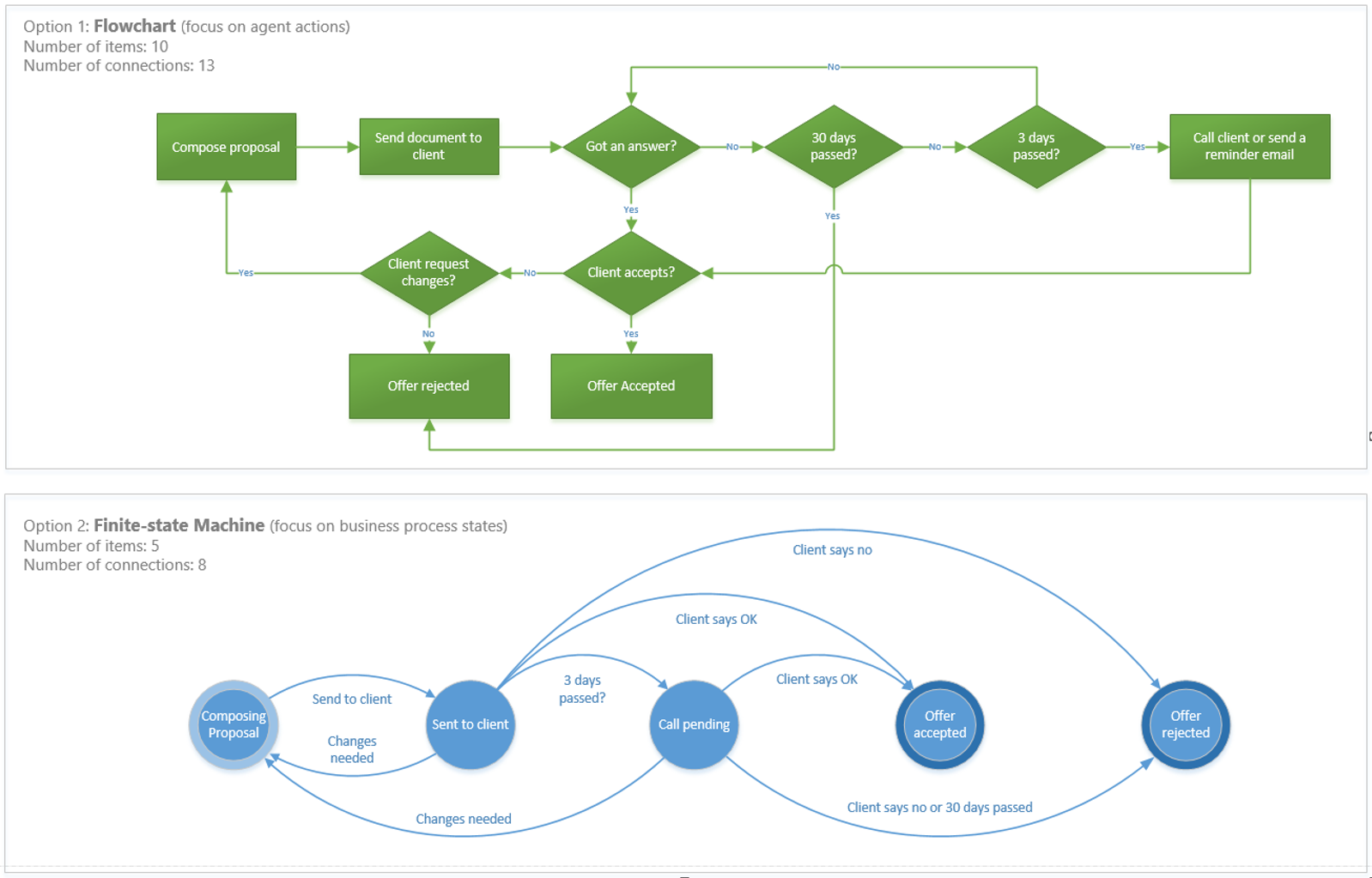
Workflows defined through FSM also make it simpler to define business processes than flowcharts do, since business processes usually have fewer information states than decision points. Below is a comparison of another sales proposal workflow with some additional decision points, represented using both techniques:
How to use FSM to design business workflows
Applying this methodology to process management in an organisation, whether internal or involving customers or suppliers, is relatively straightforward.
First, there are many types of documents and processes that can be defined across the organisation. Bear in mind, though, that not every document has the potential to be in every state, or to be subject to every action. For example, you are unlikely to want sales-related documents to reach states belonging to human resources processes.
Workflows should be designed for each functional area of the company. That avoids unwanted complexity and stops document management and workflows spilling across departments. Splitting the whole spectrum of processes and segmenting them by department — sales, HR, finance and so on — or by type, such as contracts, proposals and incidents, is a good way to move forward.
When designing a document workflow, it is essential to identify every possible state a document can be in and the actions that let documents move from one state to another.
Within each department, workflows can be designed for different types of document. In business-to-business sales you will probably have to manage proposals generated in response to requests for proposals. A workflow dedicated to managing business offers or quotes can take into account the specific needs of managing documents of this kind.
Quotes are the lifeblood of sales. Making sure they are written through a consistent process that repeatedly produces high-quality proposals is within everyone’s reach using an FSM-based workflow.
Software and office process automation
When designing workflows and automating document management with software, a well-thought-out, properly built FSM-based application should offer genuine ease of use. For example, it is desirable that document management workflows are simple for users to define with drag and drop. No programming knowledge or customisation by the vendor should be required, an add-on that usually increases implementation time and cost.
Remember that the initial process flow design is unlikely to be perfect. With a simple, agile system, however, design and configuration should be straightforward, allowing process flows to be debugged, refined and optimised for every imaginable purpose in a matter of minutes.
On the other hand, once a process has been defined with an FSM diagram,
The actions associated with each transition are usually simple and repetitive. They are therefore perfect for automating with software.
For example, if we have a sales proposal in the “requested” state and we have a proposal document template, once the basic data has been entered — customer name, address, project description and costs — the software should be able to generate the document automatically using the template and send it to the customer (using an email template) whenever we execute the “send to client” transition and the state changes to “sent to client”.
By automating every repetitive action possible, office process automation software saves a great deal of time.
Other automation features should include auto-executing any transition based on certain conditions. For example, when a process has spent X days in a given state, or when a given condition is met. That way users do not have to worry about these tasks and only have to interact with the software when human intervention is needed.
Document retention and FSM final states
When you create an FSM diagram for a business flow, you map the final states of each process. That is exactly what you need in order to establish a proper record retention policy for the organisation (a common requirement in records management).
Software usually allows documents to be deleted automatically once they have been in a final state for a certain number of days, months or years. This is useful for regulatory compliance situations where some documents have to be kept, archived and later deleted following strict rules in line with legal requirements.
Versions, revisions and other tools
Document management workflows that incorporate multiple iterations and review cycles before being sent to the recipient can easily be created. Workflows that have more to do with managing processes than documents are also easy to set up. Think of a customer service department that needs to manage incidents from first contact with the customer through to resolution of the issue. The ticket’s life cycle can easily be represented with an FSM diagram and managed and automated with software.
Adding further tools, such as metadata search, a PDF engine, digital signature and automated email, increases the power of the system and helps prevent important steps in document management and business workflows from being missed.
With the system in the cloud, additional capabilities such as business document storage, secure file sharing and changing a document’s state with a single click on mobile devices round off the ability to manage documents throughout their life cycle and define workflows in a way that meets the demands of today’s companies.