

Sign:











Four common uses. In the demo we start with yours. Contracts or case files? They have their own pages: Contract management · Requests and procedures

Quotes, minutes, purchase orders and contracts: who approves, when, and electronic signature with eIDAS legal validity.

Procedures always in the approved version, uncontrolled copies, and a record of who viewed and approved each one. Covers the document control of ISO 9001 and ISO 13485.

Training, PPE, medical checks and contractor compliance, with an alert before anything expires.

Drawings, reports and supplier documentation, with their revisions and controlled distribution.
Three of the world’s largest certification bodies, whose business is auditing other companies’ documentation to the highest standards, use R2 Docuo for their own:
TÜV SÜD
SGS
Applus+
Four capabilities, one system.
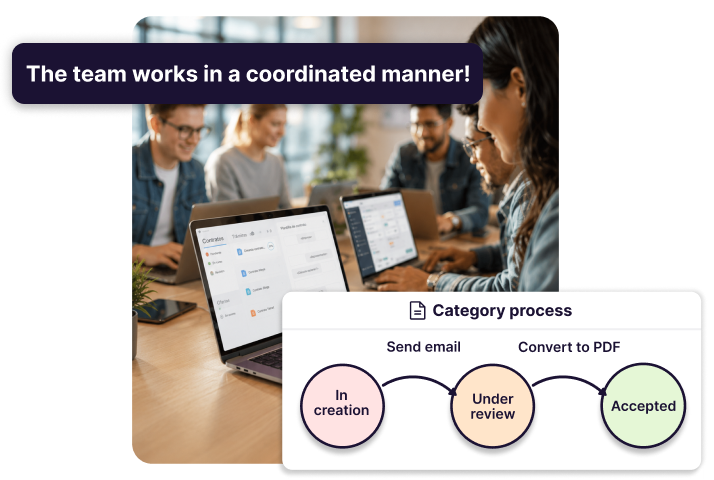
You draw the steps each document follows; R2 Docuo assigns tasks, sends reminders, tracks deadlines and launches the electronic signature when it’s due, with eIDAS legal validity.
Sign with a certificate or from your phone; the signed document returns to its case file by itself.
Automatic emails, SMS and forms at every stage.
Expiry and renewal alerts before it's too late: contracts, certificates, employee documentation.
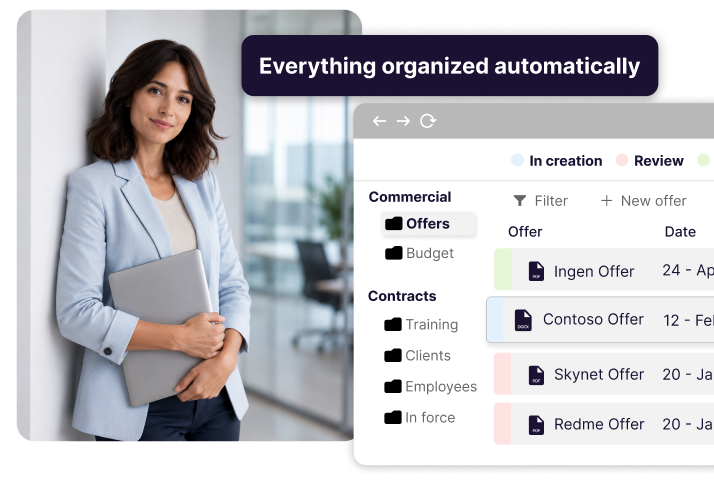
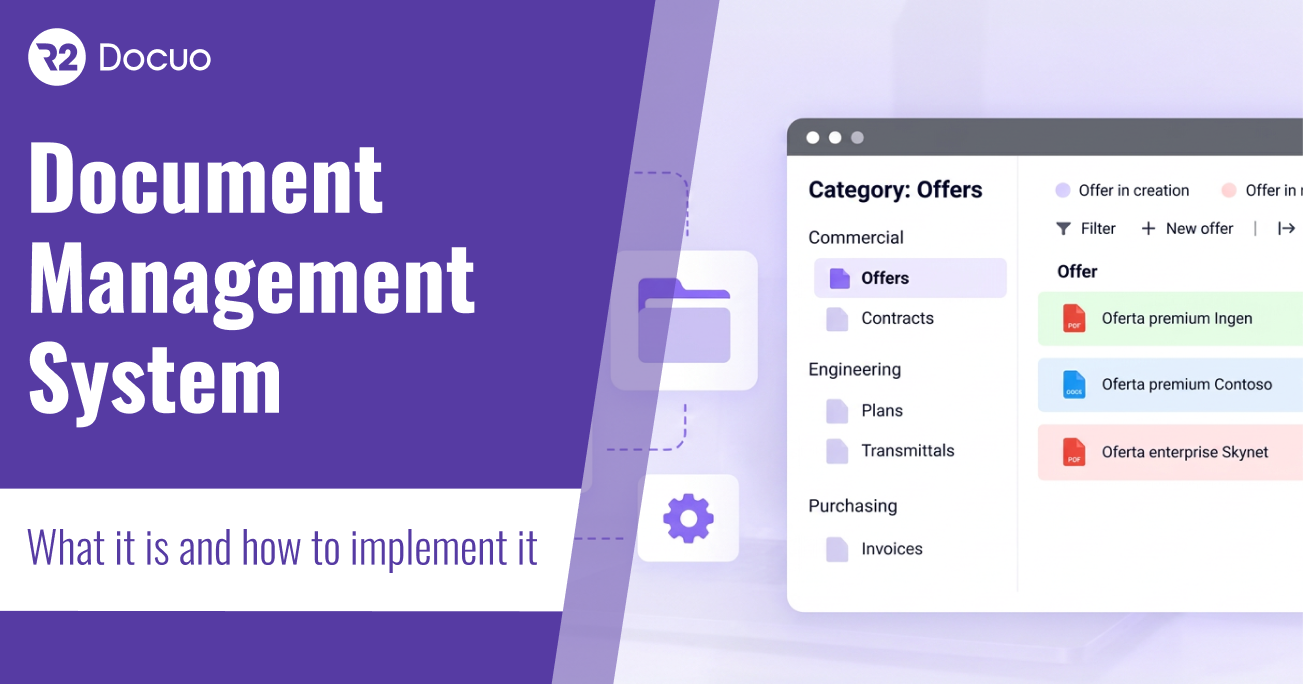
Every case file, contract or supplier has its own record: fields, statuses, documents and emails together. The document is one more piece of the process; there are complete processes in R2 Docuo without a single document.
You define fields, statuses and relationships; R2 Docuo organises and files on its own.
Search by any piece of data, not by file name.
Enter a piece of data once and reuse it in documents, emails and reports.
Versions and traceability: who viewed, who approved and what changed.
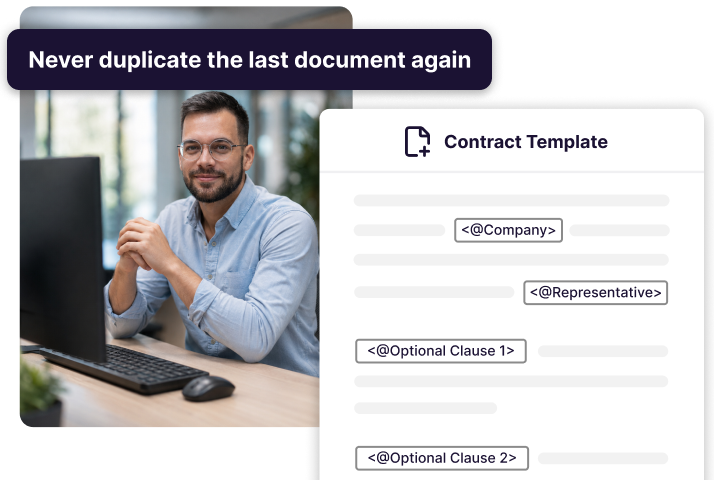
Templates with programmed logic, filled with the record’s data: conditional paragraphs, clauses that come in or out depending on the case, and output to Word or PDF in one click. The same case always produces the same document; AI only writes the paragraphs you let it.
Contracts, quotes, certificates and reports always in the approved version.
Convert to PDF and send in the same step; connects with Word 365, SharePoint, Power BI and Teams.
Integrates with your ERP via API: data is entered once.
Invoices compliant with Spain's VeriFactu, generated and sent from the workflow.
It extracts dates, parties, amounts and obligations from contracts, invoices and certificates, then classifies and files them. And since R2 Docuo exposes all its functions through an MCP server, you can also ask ChatGPT, Claude or Gemini in plain language: the assistant does it in Docuo, with your permissions and your audit trail.
“Prepare this customer's maintenance contract from the standard template and send it for review.”
“Which supplier files have expired documentation?”
Don't want AI? It switches off completely, and your documents are never used to train any model.
The same six questions, three answers.
| Question | Outlook, Excel and folders | SharePoint or Drive | R2 Docuo |
|---|---|---|---|
| Where is the document? | Wherever the last person left it | Centralised, with versions | In its case file, with a data record |
| Who approves, and when? | In an email thread | Heavy configuration or extra tools | Designed workflow, full traceability |
| And the deadlines? | In someone's head | The data lives inside the document | Automatic alerts and tasks |
| How do you sign? | Print, sign, scan | Through a third party | Built in, eIDAS validity |
| Security and certification? | None; data wherever it lands | Depends on provider and region | ENS High, ISO 27001, data in Spain |
| And AI? | Only sees loose files | Only its own ecosystem's | Reads your documents; also from ChatGPT, Claude or Gemini |
No. 1 of 9 in user satisfaction in Enterprise Content Management for enterprise in Europe, and also No. 1 for small business. According to verified reviews on G2, the leading software comparison site (October 2026).


Prices are public. One app (contracts, invoices or quotes) starts at €12 per month with one user; all the apps, from €50 per month with three users. The complete document management platform, with custom fields and processes, starts at €99 per month with five users included. In every case, €12 per month for each additional user. See pricing and calculator. You can start with a few users and a single process and grow later. AI is pay-per-use and you can leave it switched off.
The apps are ready the same day. On the platform, four weeks on average from kick-off to the first process in production; if you start with a single process and a few users, about 14 days. Consulting is not mandatory, but we recommend it for the platform. In the demo we give you the estimate for your case, with the team that will then do it with you.
You start small, with no lock-in, no mandatory consulting and no big project ahead of you. And if you decide to leave, you take everything with you: documents and data export in full, in standard formats.
Existing files are imported keeping their structure and R2 Docuo classifies them by document category and metadata, so the team starts searching by data rather than by file name. The old folders are left read-only during the transition. The implementation team does it with you; it is not a project you have to run alone.
R2 Docuo connects with Word 365, SharePoint, Teams and Power BI, and adds what SharePoint doesn’t bring out of the box: the data record of each case file, approval workflows, signature and traceability. Whatever is already in SharePoint is imported keeping its structure.
In the cloud, in data centres in Spain. Data is hosted on a platform certified under ENS, High category (Spain’s National Security Framework, Royal Decree 311/2022) and ISO 27001. You define permissions by user, group and process, and every action is logged: who did what, when, and on which version.
Yes, you can use it without AI: in some modules it comes switched on, and it can be switched off completely whenever you want. When you use it, it reads your documents to extract data and classify them; your documents are never used to train any model.
Yes, via API and connectors. Customers have it connected with SAP, Business Central, Navision, Sage and A3.
Yes. Procedures, work instructions and records under version control: the team always works on the approved version and anything printed or downloaded is marked as an uncontrolled copy. Every document keeps who viewed it, who approved it and what changed, and that history exports for the auditor. It covers the document-control requirements of ISO 9001 and ISO 13485; R2 Docuo itself is ISO 27001 certified.
Both. A web application for any device and a desktop application for Windows, which many teams prefer for working with Word and large volumes of documents. And, if you want, also from your AI assistant.
Yes. R2 Docuo publishes an MCP server that exposes its functions to AI assistants. You connect your assistant, ask for what you need —find a case file, create a document from a template, move an approval forward, launch a signature— and it does it in Docuo with your permissions and the same audit trail as if you did it from the application.
Three facts you can verify: the ENS High certification (Athento holds the Medium category; DocuWare and M-Files publish no ENS certification); the published pricing, with a calculator; and the desktop application with data hosted in Spain. And a difference of approach: in R2 Docuo the document is one more piece of the process —there are complete processes without a single document—, not the centre.
Industry labels, explained.
Yes. R2 Docuo includes a Workflow and BPM engine to design and automate your organisation’s workflows: approvals, reviews and requests. Workflows run directly on the documents, with no additional tools.
Yes. ECM is the software category that manages enterprise content throughout its life cycle: capture, storage, distribution and retention. R2 Docuo implements ECM functionality in the cloud, with built-in AI and ISO 27001 certification.
A CSP (Content Services Platform) is the evolution of traditional ECM towards modular cloud platforms. R2 Docuo is a CSP that combines document management, workflows, electronic signature and artificial intelligence in a single environment for businesses.
Yes. A DMS lets an organisation create, store, organise and control its documents centrally. R2 Docuo is a DMS with AI that automates classification, approval workflows and document retention in line with current regulations.
The four terms describe the same software category with different emphases. ECM and CSP are market labels; document manager and DMS are the everyday equivalents. R2 Docuo covers all of them in a single certified platform.
Yes. R2 Docuo includes configurable review and approval workflows: assign reviewers by role, control versions and obtain electronic signatures in a single environment. It removes the back-and-forth emails and guarantees full traceability of the process.
We’ll contact you today. No lock-in: you start with one process and a few users. In the demo you’ll see:
Your process set up in a case-file record, with its data and its documents.
An approval with electronic signature, end to end.
What it costs and how long it takes in your case, with figures.
And the AI assistant asking R2 Docuo for a document and acting on it.