


The 8 best document management software in Spain (2026): which to choose for your company


There is no single best document management software for every company, only the one that best fits each company’s needs and processes. If you manage critical documentation, have to comply with Spanish regulations (Verifactu, ENS, audits and so on) and need the system to scale without turning into a months-long project, a Spanish document management system may be a good option. If you already work with Microsoft 365 and only want to store and search, you probably do not need to buy anything new.
- Critical processes, complex document management and Spanish regulatory compliance: R2 Docuo
- Audited sectors (certification, engineering, energy): R2 Docuo
- High-volume OCR and digitisation: DocuWare
- You already work inside Microsoft 365: SharePoint
- Connecting existing repositories without migrating them: M-Files
- Banking, insurance and debt management: Athento
- HR documentation only: Factorial HR
Before getting into the comparison, it is important to understand when a document management system becomes necessary. Shared folders, email and spreadsheets are workable while the volume of documentation is small and few people take part in the processes. The problem comes when the company grows or management gets more complicated: that is when documents become hard to find, versions get duplicated, deadlines are missed and audits are prepared at the last minute. On top of that come ever-stricter regulatory requirements, which force companies to have more control and traceability over their documentation.
In this comparison we will not focus on the size or sector of your company, but on what you need to do with your documents. For example, a 40-person engineering firm that manages public works files has a far more demanding problem than a 400-person company that only files payslips. That is why here we compare by process, regulation and time to go live. And if you first want to understand in more depth what a document management system is and does, you can start with our guide.
📹 If you would rather watch it on video, here we compare the five main tools and explain what a document management system is, how they differ and how to choose yours.
Quick comparison: 8 tools at a glance
The prices shown in the table are entry-level, without volume discounts or commitments. We also indicate where a vendor does not publish its prices. The G2 ratings for the other tools are those available on 4 September 2026; R2 Docuo’s are updated automatically with every new review. We show the number of reviews because a 4.8 with two opinions does not mean the same as a 4.6 with ninety.
| Tool | Ideal for | Entry price | G2 | Spanish regulations | From AI assistants | Implementation |
| R2 Docuo | Critical document processes under Spanish regulations | From €12/month per app | 4.6 · 98 reviews | ISO 27001 · ENS HIGH category · Verifactu | Yes, native MCP server | ~4 weeks |
| DocuWare | High-volume OCR and digitisation | No published pricing | 4.4 · 251 reviews | ISO 27001 · ISO 9001 · SOC 2 · no ENS · AEAT certification for paper digitisation (not Verifactu) | No evidence | Medium-long |
| Microsoft SharePoint | Companies already inside Microsoft 365 | Included from €6.07/user/month (M365 Business Basic, annual, excl. VAT) | 4.0 · 8,981 reviews | ISO 27001 · ENS HIGH category (80+ M365 services, Spain region) | Via Copilot, inside M365 | Requires configuration |
| M-Files | Connecting existing repositories without migrating them | Essentials €65/user/month · Enterprise on quote | 4.4 · 273 reviews | ISO 27001:2022 · SOC 2 Type II · no ENS | No evidence | Medium |
| Athento | Banking, insurance and debt management | From €235/month (PLUS, annual) + €12.99/user | 3.5 · 1 review (insufficient) | ISO 27001 · 27017 · 27018 · SOC 2 · ENS MEDIUM category | No evidence | Medium |
| Factorial HR | HR documentation only | From €5.50/person/month (Core) | 4.4 · 111 reviews | ISO 27001:2022 · SOC 2 Type 2 · ENS HIGH category · Verifactu (invoicing) | No evidence | Fast |
| Quipu | Freelancers and micro-businesses, accounting focus | From €8.50/month (Starter) · €15 · €29.50 | 4.3 · 3 reviews (insufficient) | No published certifications (SSL encryption, GDPR) · Verifactu-ready | No evidence | Fast |
| OpenKM | Technical teams, open source | Free Community edition · Professional and Cloud without public pricing | 4.8 · 2 reviews (insufficient) | No own certification published | No evidence | Depends on your own team |
How we evaluated
We compared each tool on nine criteria: the audience it serves, published entry price, G2 rating, ISO 27001 certification, compliance with Spain’s National Security Framework (ENS), Verifactu compliance, eIDAS-compliant electronic signature, Spanish-language support and average implementation time.
We get this information from three places: each vendor’s public documentation, verified G2 reviews and our own experience implementing document management projects. Where a figure comes from a third party, we link to it.
Why G2 and not another review site? Because today it concentrates most of the B2B software review market: in January 2026 it announced the acquisition of Capterra, GetApp and Software Advice from Gartner (press release), and Appvizer, the other review site with weight in Europe, passed into the hands of Softonic in 2024 (press release). When the review market concentrates in one player, its rankings stop being one reference among many and become the reference, and that holds whether the data favours us or not.
G2 also ranks the highest-rated software by category, region and company size. In this comparison we use the Enterprise Content Management (ECM) category and the Europe region, in two segments: enterprise (more than 1,000 employees) and small business (up to 50). These are live rankings: you can open them and check each tool’s position on the day you read this.
And as you may have noticed, we are R2 Docuo. We put our name to this comparison, so we have an obvious interest in you getting to know us, but also in you being able to compare with sound judgement. That is why the data you will see here can be verified, and we will point out the cases where another tool fits better than ours.
The 8 tools, one by one
1. R2 Docuo

- Ideal for: complex document processes that require compliance with Spanish regulations, from a 40-person engineering firm to an industrial group.
- Price: from €12/month per app · 3-app pack €50/month with 3 users · custom plan from €99/month with 5 users (see pricing).
- G2: 4.6/5 across 98 reviews · #1 in ECM, Europe, for enterprise and for small business (“Highest Rated” ranking, September 2026) · High Performer in the Spain Regional Grid and Momentum Leader in ECM (Fall 2026) · AI Verified badge.
- Certifications: ISO 27001 · ENS HIGH category · data stored in Spain and the EU.
- Customers: SGS · TÜV SÜD · Applus+ · Elecnor · Engie · Fnac · Grupo IFA · Junta de Andalucía · Grupo Hotusa · Rhenus Logistics.
- AI: MCP server (you can work from Claude, ChatGPT or Gemini without having to open the application).
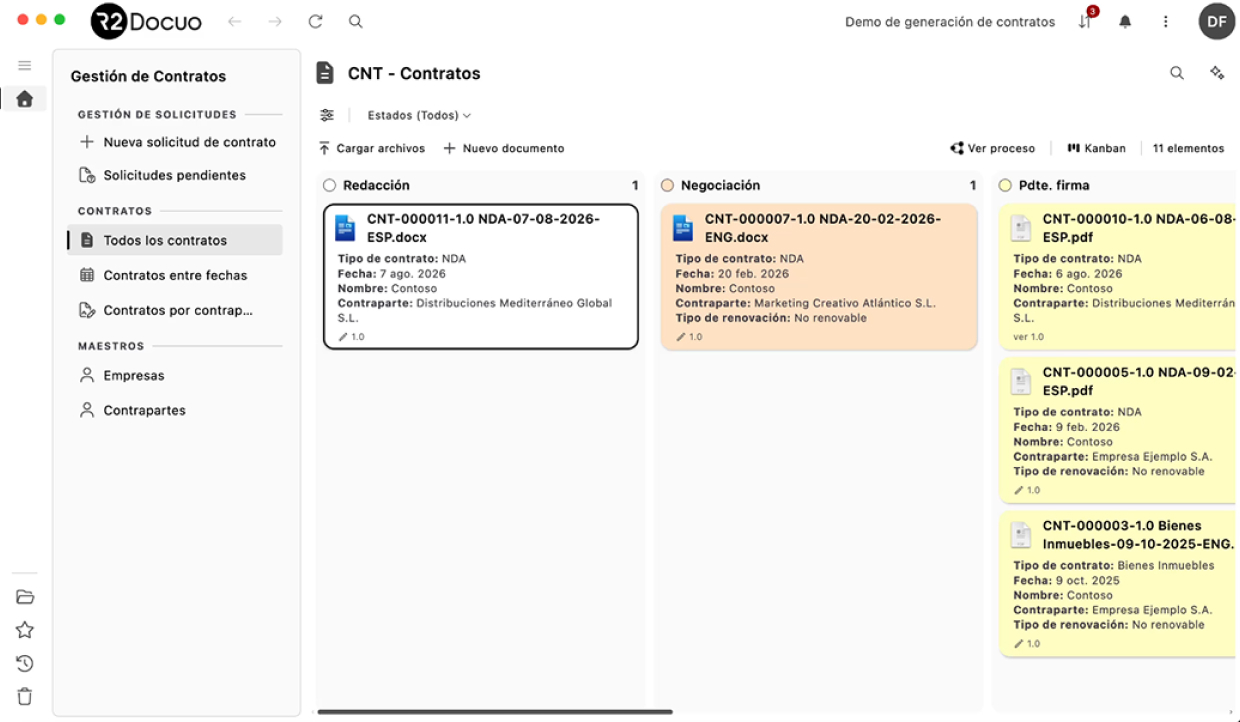
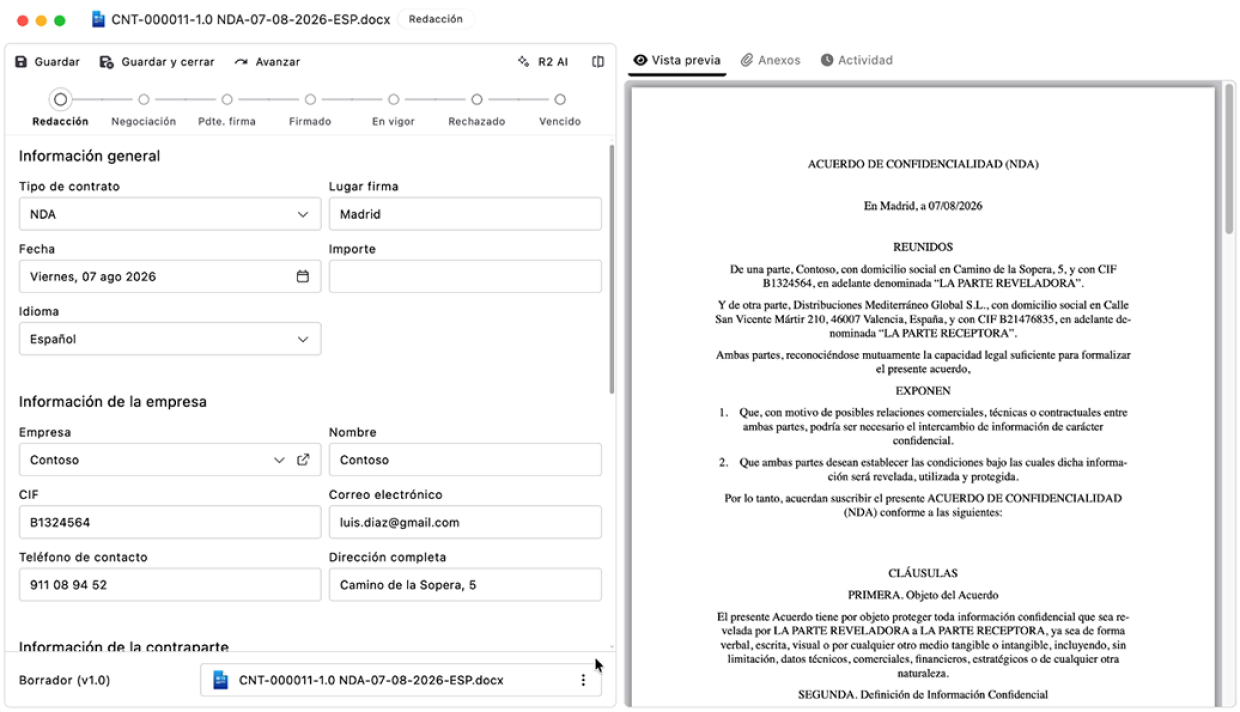
R2 Docuo is Spanish software that combines a document management system with workflow, artificial intelligence and ready-to-use apps (Contracts, Invoices and Quotes) that work from the day you sign up. Underneath sits a low-code platform for building custom processes without relying on a development team. The tool can be used from the browser, as a desktop application for Windows or as a mobile app for iOS and Android. It has industry modules (audit and certification, EPC projects, export conformity verification, GDPR, quality and more) that solve specific, predefined processes, but can be configured to your particular needs.
One of its strengths is that it combines a very fast start with the ability to manage complex processes. The norm in this market is to choose between a tool you install in an afternoon and outgrow within a year, or a suite that solves everything after a months-long project. R2 Docuo has apps that are up and running from day one, but it can also build specific processes to manage the documentation of companies such as Elecnor, Engie or Grupo Hotusa. The average implementation of a custom project is four weeks, which earned it the Fastest Implementation award in the G2 Reports Summer 2026.
One fact that says more than any argument of ours: SGS, TÜV SÜD and Applus+ are customers. They are three of the largest certification bodies in the world, companies whose business is precisely to audit whether other companies’ documentation is in order. And they have chosen R2 Docuo to manage their own. We explain how a document management system makes life easier for companies in this sector in document management software for ISO audits and certifications. The Junta de Andalucía (the regional government of Andalusia) is also among its customers, an example of how ENS certification in the HIGH category makes it possible to meet the security requirements needed to work with the Spanish public administration.
It does not just store and organise documents: it lets you build processes. The customer defines what information needs to be managed, how it relates to each other, who can change it and what should happen at each step. All of this without a document having to be at the centre. In fact, many of the processes our customers set up have no document attached at all.
In G2’s “Highest Rated” ranking, R2 Docuo is the number 1 product in Europe in the Enterprise Content Management category for both enterprise and small business, ahead of Jahia DXP, M-Files and Box in both. That is 98 verified reviews with an average of 4.6, and in the Fall report 42 of them had been published in the previous six months without the score dropping. Those same reports award it five further distinctions: High Performer in the EMEA and Europe Regional Grids for Enterprise Content Management (and in the Spain Regional Grid, for Cloud Content Collaboration), High Performer Enterprise in the ECM EMEA Grid, Momentum Leader and Users Most Likely to Recommend Enterprise in ECM, and Users Most Likely to Recommend in Engineering Document Management, the category in which G2 classifies document management for engineering projects. All of them are public and can be checked on R2 Docuo’s G2 profile.



When it is not the best option: if you only need to store and share documentation, without having to manage it, you probably do not need a tool like R2 Docuo, because its features go well beyond that. Its brand recognition is also lower than that of other international suites, which may matter to companies that value a well-known vendor more than the tool’s features.
2. DocuWare
- Ideal for: high-volume document digitisation and OCR.
- Price: no published pricing; quote-based.
- G2: 4.4/5 across 251 reviews · #9 of 9 in ECM Europe, enterprise (score 14/100).
- Certifications: ISO 27001, ISO 9001 and SOC 2 Type 2; no ENS; AEAT (Spanish Tax Agency) certification for digitising paper documents (it is not Verifactu).
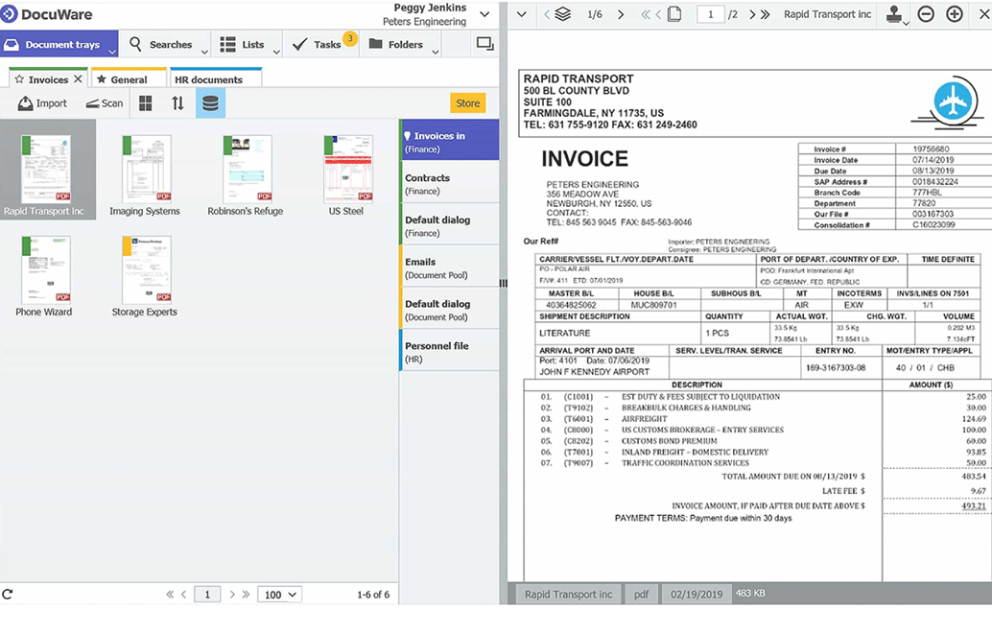
It is one of the most established suites on the market and its strength is optical character recognition: if your problem is handling hundreds of paper invoices or delivery notes a day and extracting their data automatically, DocuWare does it very well and has been doing it for decades. Its international track record also gives it a wide partner network.
When it is not the best option: implementations are long and support is not always available in Spanish. Because it does not publish prices, comparing costs means going through a sales demo. If you are considering it, we have gathered the DocuWare alternatives in a separate article.
3. Microsoft SharePoint
- Ideal for: companies already integrated into the Microsoft 365 ecosystem.
- Price: included in Microsoft 365 from Business Basic, €6.07/user/month on an annual plan, excluding VAT.
- G2: 4.0/5 across 8,981 reviews · G2 classifies it under Team Collaboration, not document management.
- Certifications: ISO 27001 · ENS HIGH category for more than 80 Microsoft 365 services, also from the Spain cloud region.
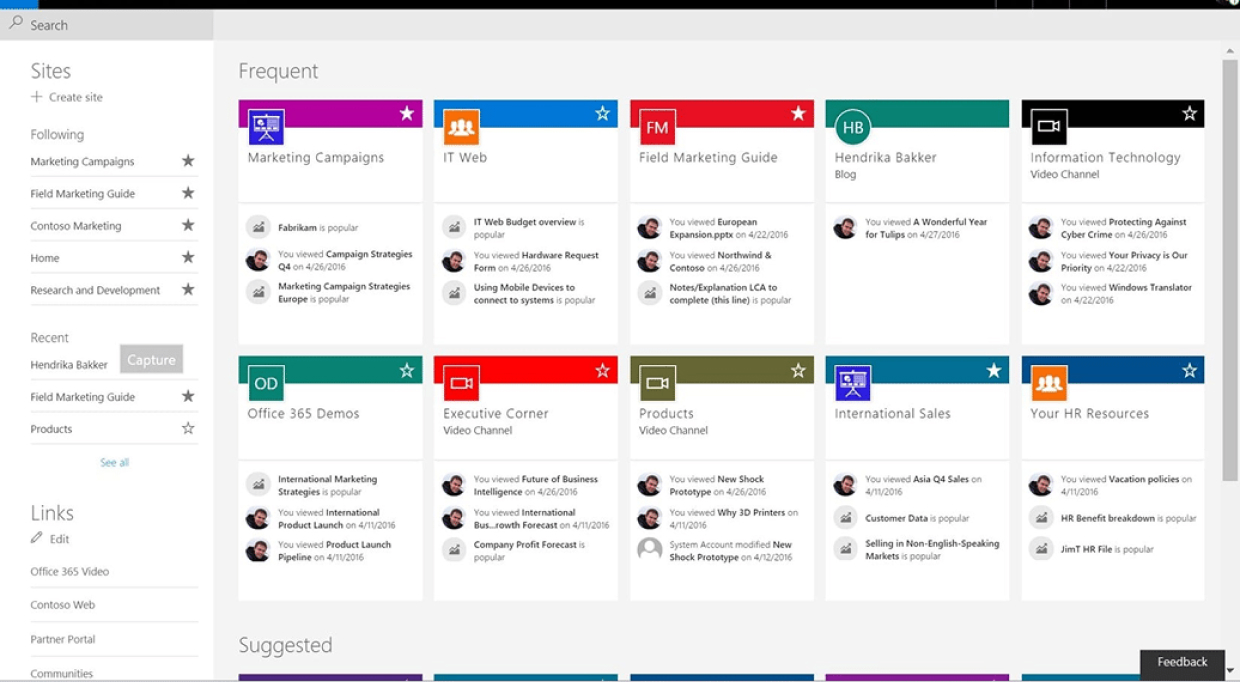
If you already pay for Microsoft 365, start here before buying anything. For storing, sharing and searching documents with team-level permissions, SharePoint covers the case at no extra cost and with an integration with Word, Excel and Teams that no external tool can match.
When it is not the best option: it is not a document management system. Turning it into one, with metadata, approval workflows, version control, expiry alerts and the rest, takes configuration work and someone technical to maintain it. The cost does not show up on the invoice: it shows up in hours. We go into it in specialised document management vs SharePoint; and if your question is more basic, in document management vs shared folders.
4. M-Files
- Ideal for: connecting existing, scattered repositories without migrating them
- Price: Essentials €65/user/month; Enterprise on quote.
- G2: 4.4/5 across 273 reviews · #5 of 9 in ECM Europe, enterprise (score 45/100).
- Certifications: ISO 27001:2022 and SOC 2 Type II; no ENS.

Its distinctive bet is not to move anything: instead of asking you to migrate your documents to a new repository, it connects to the ones you already have: network folders, SharePoint, ERP and so on. If your problem is that information is spread across different systems and you want or need to keep working in all of them, M-Files solves exactly that.
When it is not the best option: you need to define the metadata, relationships and structure for organising the information very carefully from the start, which lengthens the rollout. And connecting to a system is not the same as controlling it at the source, which can limit features and permissions.
5. Athento
- Ideal for: banking, insurance and debt management: processes with a very high volume of documents.
- Price: from €235/month (PLUS plan, billed annually) plus €12.99/user/month, up to 50,000 documents; higher plans with minimums of 35, 150, 500 and 2,000 users.
- G2: 3.5/5, but with a single review: too small a sample to compare.
- Certifications: ISO 27001, ISO 27017, ISO 27018 and SOC 2; ENS in the MEDIUM category (renewal audited by OCA CERT).
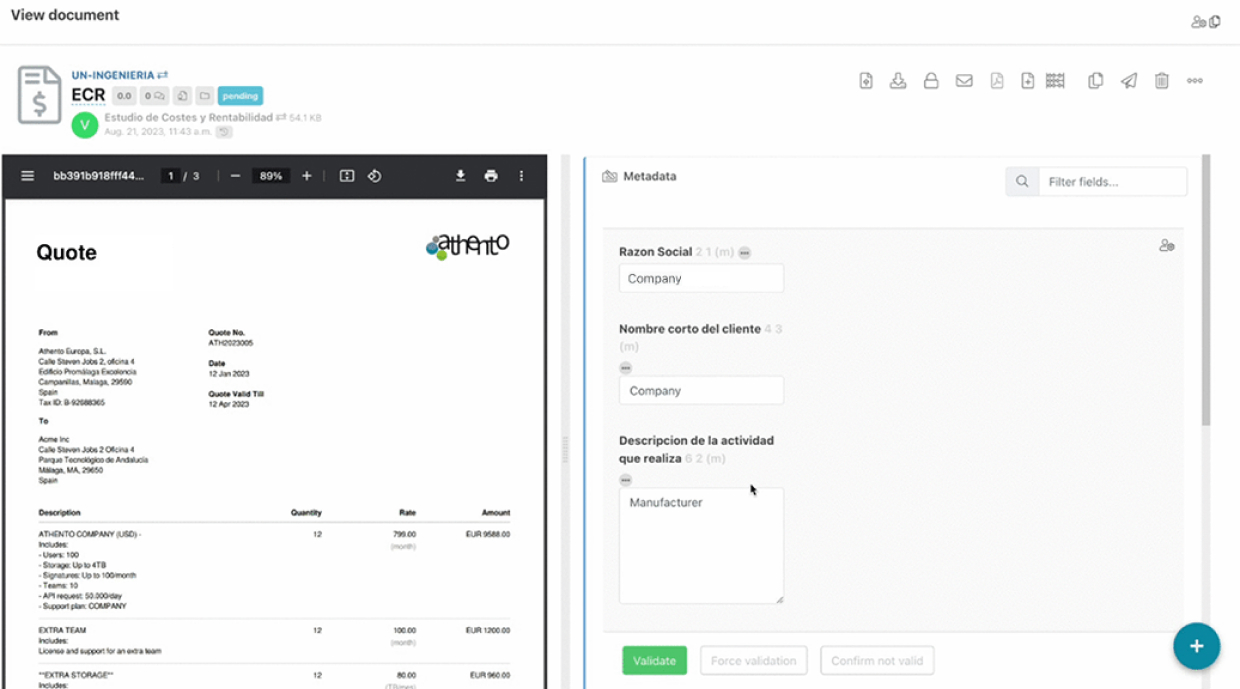
It is a Spanish document management system, highly specialised in automating processes that involve hundreds of documents: credit files, insurance claims, debt portfolios… If your company deals with any of those problems, Athento may be a good option. If you want to get to know the tool in detail, here is a full R2 Docuo vs Athento comparison.
When it is not the best option: that same specialisation makes the product less suited to managing the documents every company has, such as contracts, invoices and so on. Athento also needs prior configuration before you can start using it.
6. Factorial HR
- Ideal for: companies whose critical documentation is HR documentation.
- Price: from €5.50/person/month (Factorial Core, which includes document management and electronic signature).
- G2: 4.4/5 across 111 reviews · Core HR Software category.
- Certifications: ISO 27001:2022, SOC 2 Type 2 and ENS HIGH category (Royal Decree 311/2022); its invoicing module is Verifactu-ready.
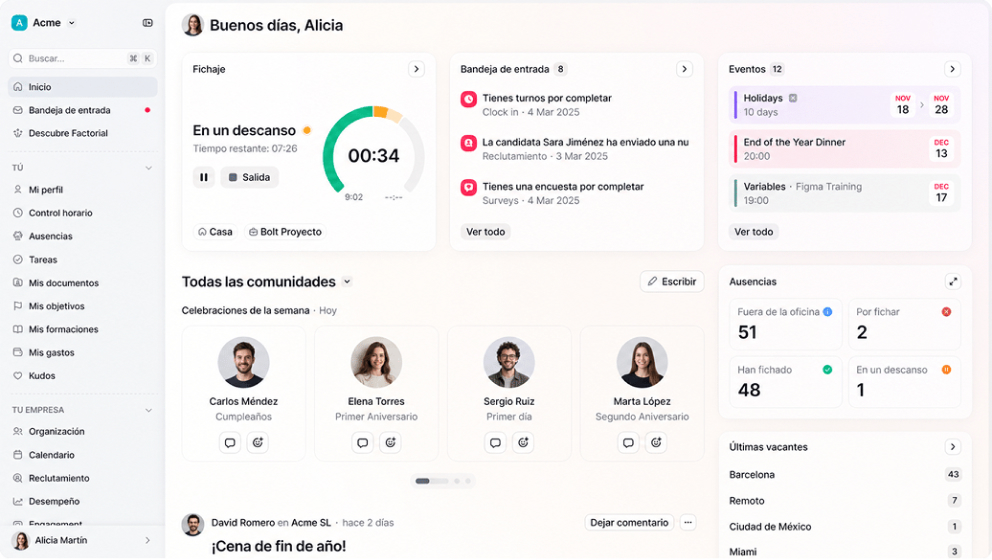
It is worth understanding that Factorial is not a document management system; it is an HR suite that includes document management. If what you need to manage is employment contracts, payslips and employee documents, and to keep it all organised in one place alongside holidays and time tracking, Factorial is a very good tool. And it does not matter whether you have 30 people or 300: it adapts very well to companies of every size.
When it is not the best option: if your critical documents are not HR documents (customer contracts, invoicing, technical files, quality documentation and so on), you will notice the tool’s limitations straight away. It is not designed to manage document processes outside HR.
7. Quipu
- Ideal for: freelancers and micro-businesses with accounting needs.
- Price: from €8.50/month (Starter); Solution €15/month; Premium €29.50/month, billed annually.
- G2: 4.3/5 with 3 reviews · Accounting & Finance category.
- Certifications: no published security certifications (it cites SSL encryption and GDPR); Verifactu-ready.
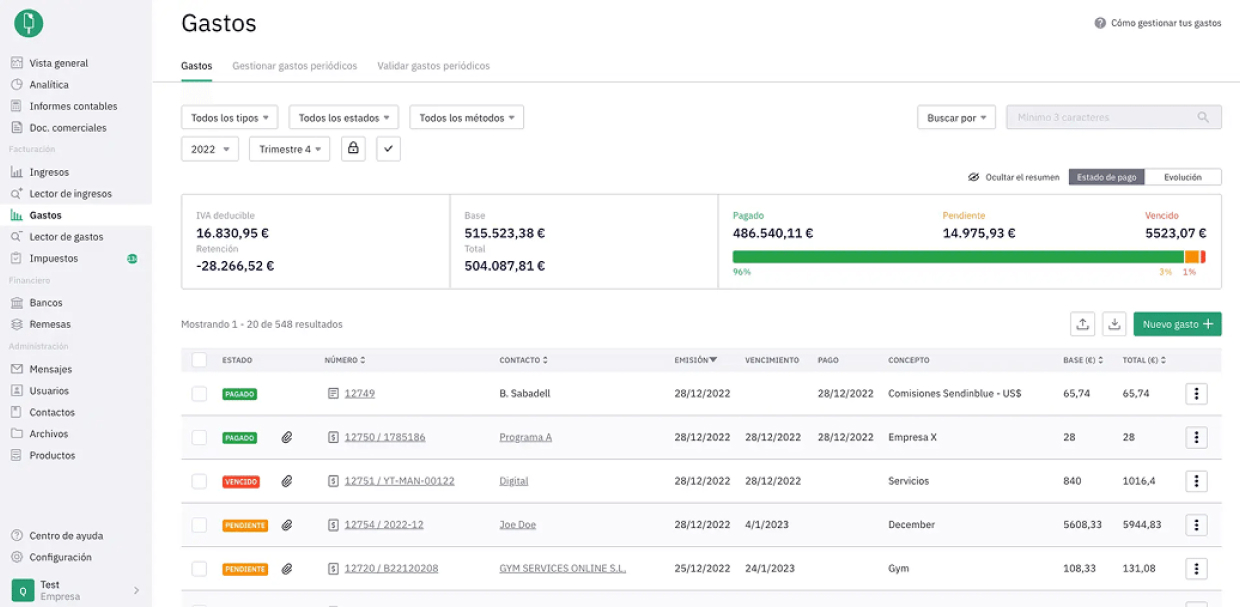
It is the same case as Factorial, but on the accounting side: it is invoicing and accounting software that handles the filing of the documents it generates itself. For a freelancer or a three-person company it may be enough, and it is very affordable.
When it is not the best option: it is not a document management system. As soon as approval workflows, version control or documents other than invoices come into play, it reaches its limit.
8. OpenKM
- Ideal for: technical teams that want open source.
- Price: free Community edition; Professional and Cloud without public pricing, purchased on order with a 12-month commitment.
- G2: 4.8/5, but with 2 reviews: too small a sample.
- Certifications: none of its own published; the software helps you comply with ISO 27001, but OpenKM does not hold its own certification.
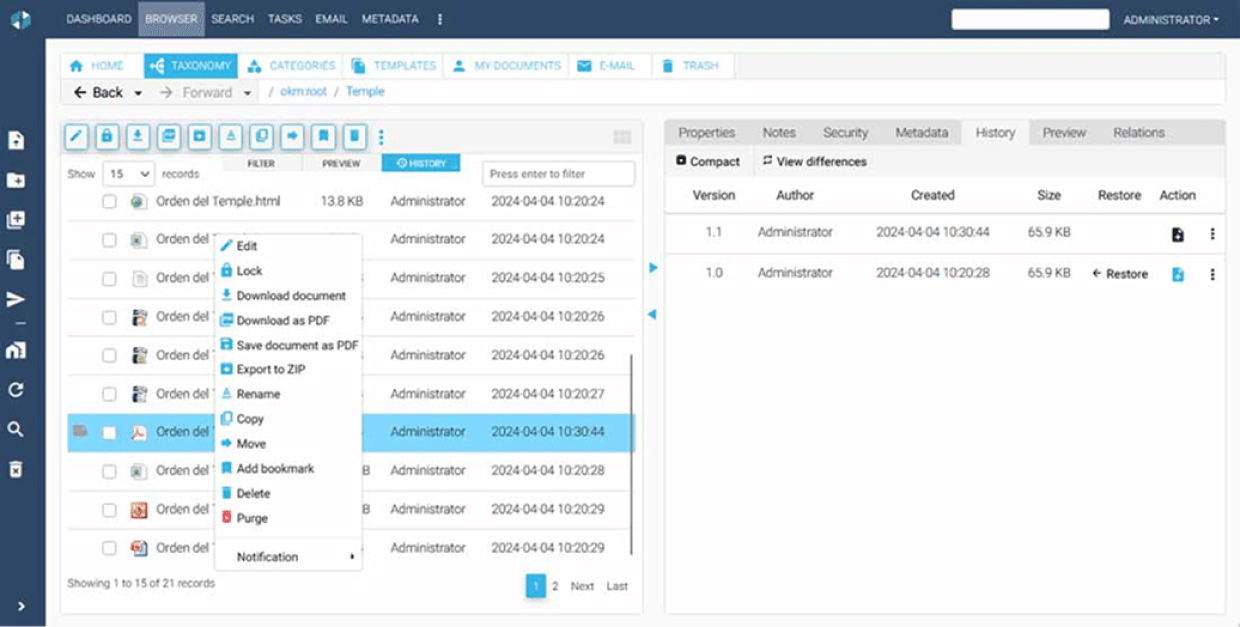
It is a Spanish open-source document management system, with a free Community edition. If you have a technical team and want full control over where the system lives and how it is extended, it is a good option, with support in Spanish.
When it is not the best option: “free” means the cost lies with your team. Installation, updates, security and maintenance are all yours. Without someone technical dedicated to it, it ends up costing more than paying for a licence.
What types of document management software are there?
Before comparing brands, it helps to understand that not all document management systems work the same way. Broadly speaking, there are three approaches:
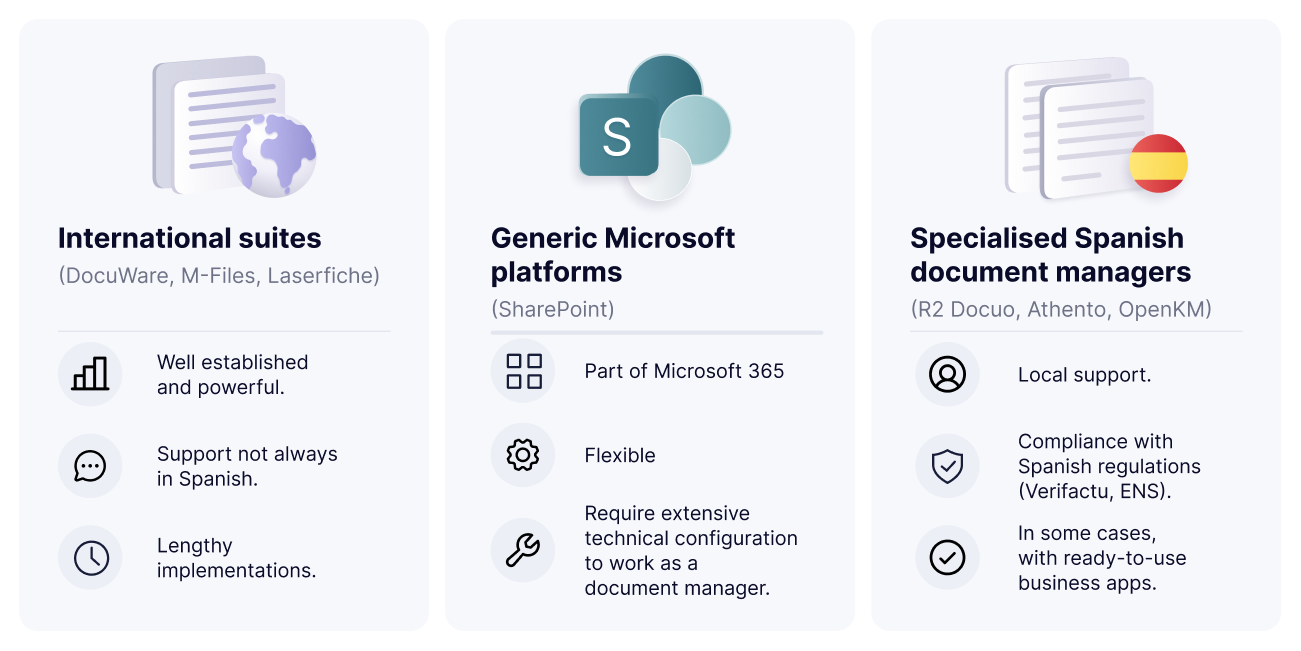
- International suites (DocuWare, M-Files, Laserfiche): well established and powerful, but support is not always in Spanish and implementations are long.
- Generic Microsoft platforms (SharePoint): part of Microsoft 365, flexible, but they require extensive technical configuration to work as a document management system.
- Specialised Spanish document management systems (R2 Docuo, Athento, OpenKM): local support, compliance with Spanish regulations (Verifactu, ENS) and, in some cases, ready-to-use business apps.
The line between these three groups is not always so clear: there are international tools with very good support in Spanish, and Spanish platforms with international ambitions. As a starting point, this classification helps you understand what kind of vendor you are dealing with and what you can expect from it in terms of response times, closeness and adaptation to local regulations.
Comparison of document management types (2026)
| Type | Support | Implementation | Spanish regulations | Ideal for |
| International suite | Variable, not always in Spanish | Medium-long | Depends | Multinational with an IT team |
| Microsoft platform | Microsoft ecosystem | Requires configuration | Manual | Company deeply integrated into 365 |
| Specialised Spanish system | In Spanish, close at hand | Fast | Verifactu, ENS as standard | Companies operating in Spain, from large enterprises to SMEs |
What to look at when choosing a document management system
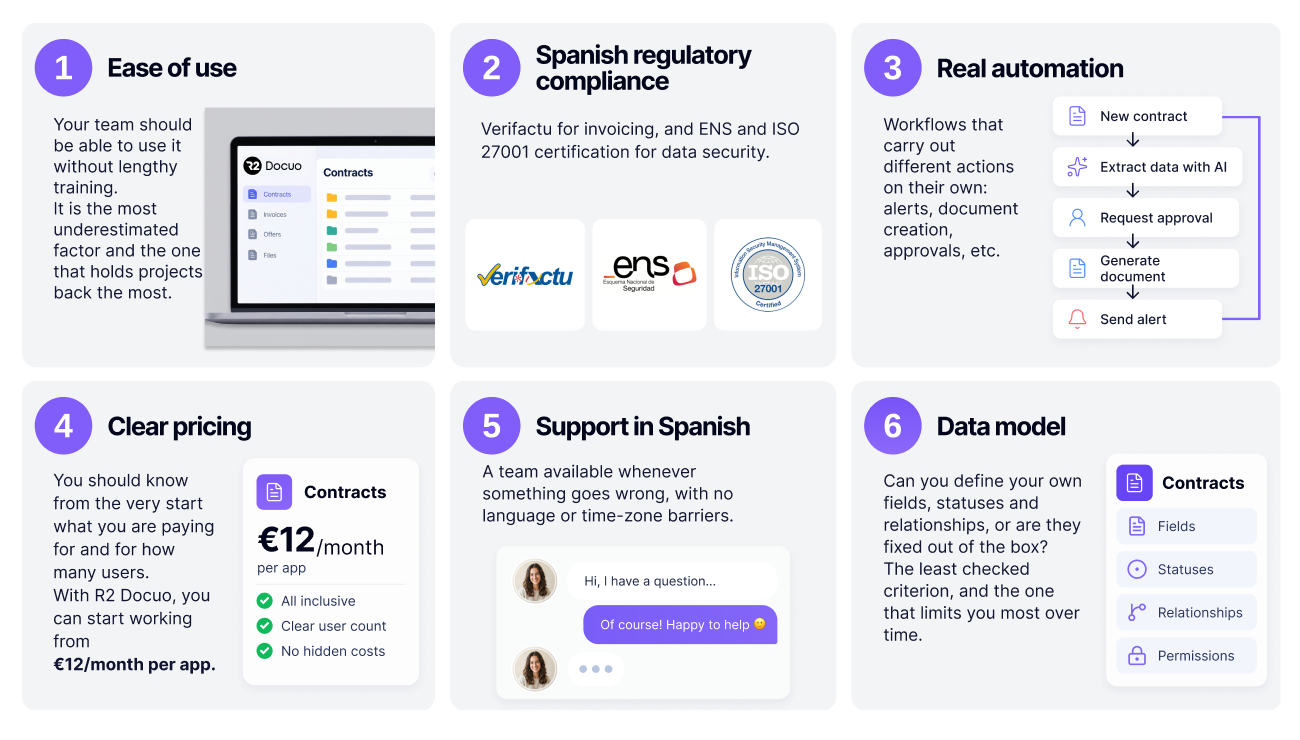
- Ease of use. Your team should be able to use it without lengthy training. It is the most underrated factor and the one that holds projects back the most.
- Spanish regulatory compliance. Verifactu for invoicing, and ENS and ISO 27001 certification for data security.
- Real automation. Workflows that carry out different actions on their own: alerts, document creation, approvals and so on.
- Clear pricing. You should know from the outset what you are paying for and for how many users. With R2 Docuo, for example, you can start working from €12/month per app.
- Support in Spanish. A team available for when something goes wrong, with no language or time-zone barriers.
- Data model. What information can you attach to each thing? Do you define the fields, states and relationships yourself, or do they come locked from the factory? It is the criterion people look at least when comparing and the one that limits you most two years in.
Of these six points, ease of use is the one that sinks the most document management projects in practice. Software can have every feature in the world, but if the team does not use it because they find it hard to understand, they will carry on working the way they know. If you want to know more about what a tool of this kind should offer, we have gathered the most valued features of a document management system according to companies that already work with one.
From document to data: what you can model
A traditional document management system focuses on storing, organising and classifying files. The systems that genuinely support a process do the opposite: first they define the information (what a contract is, which fields describe it, which states it can be in, who changes them, what happens on each change and so on) and the document becomes one more element of that process, not its centre.
The difference seems theoretical until it becomes a problem. With a limited data model, the important information in a document, such as the amount, the expiry date, the owner or the review status, ends up living in the file name, in a folder or, almost always, in a spreadsheet that someone maintains by hand. And as soon as that spreadsheet exists, the document management system is no longer the place where you have all the information.
There is a simple test to find out what kind of tool it is: ask whether you can create a process that has no document at all. A supplier onboarding, a non-conformity, a purchase request, a maintenance plan. If the system can only exist around a file, sooner or later you will be running half your processes outside it.
Ask, too, who can change that process. Adding a field, a state or a rule should not depend on opening a ticket with the vendor. You should be able to make changes in the tool and have it adapt to you, not the other way round.
Process automation: the difference between filing and working

Many solutions are sold as a “document management system” when they are really little more than a hard drive in the cloud with a search box. A good document management system, one that lets you automate your work processes, can do the following:
- Workflows: a document (contract, invoice, quote and so on) or a procedure moves automatically from one status to another (pending review, approved, signed…) when a task is completed or a user performs an action. For example, a workflow designed for contract management can automatically change a contract’s status from “active” to “expired” once the contract reaches its expiry date.
- Automatic alerts: the system automatically notifies users when a contract, a certification or a licence expires, but also when a form is completed, a document is approved, a task is assigned or someone needs to step into a process. Following the contract example, when its status changed, it would automatically alert the people responsible.
- Automatic document creation: create a quote, an invoice, a contract or any other document from a Word 365 template that is filled in automatically with the data stored on the platform. No need to copy and paste information.
- Notifications to the channels you already use: automatically sends alerts by email, Microsoft Teams or SMS so that each user receives the information where they already work, without having to keep going into the document management system.
When assessing a document management system, make sure it can adapt to the way your company works. Good software should be able to automate your processes, whatever the sector or the type of process you manage.
Using the document management system from Claude, ChatGPT or Gemini
Almost every vendor in this market has announced “AI” in the last year, and in practice it almost always means the same thing: a semantic search or an automatic summary inside their own application. You still have to open the program, find the screen and click. We look at what each tool does in best AI document management platforms.
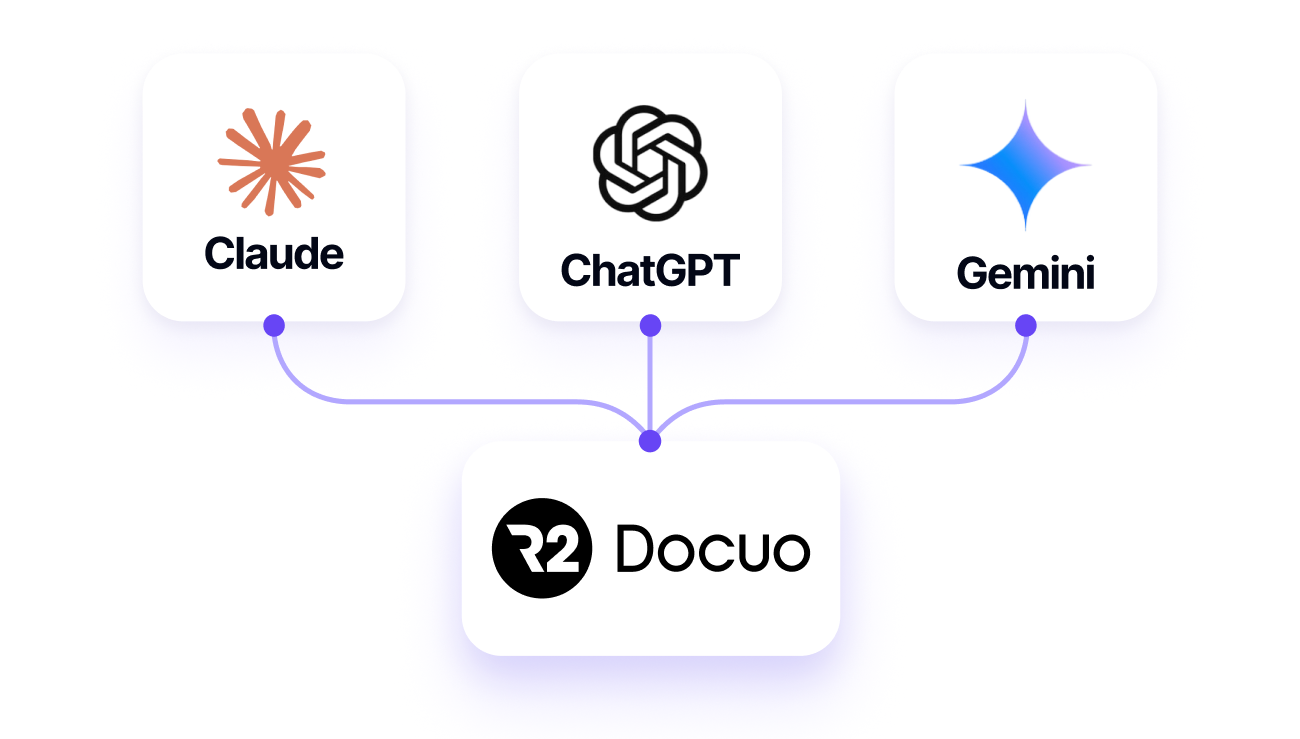
There is a second, rather deeper way to understand it: that the document management system can be operated entirely from outside, by talking to the AI assistant you already use. Finding a contract, checking what state a file is in, launching an approval or generating a quote without opening the application or logging in to it.
That is what an MCP server (Model Context Protocol) makes possible, the standard that has established itself for connecting AI assistants to third-party systems. R2 Docuo announced it at its June 2026 keynote and is launching it in September 2026, and with it the platform is connected to Claude, ChatGPT or Gemini under the same permission rules a user would have.
The real consequence is that the document management system becomes headless: its interface stops being the only way in. For a company that already works with AI assistants, that means document information no longer sits in a separate system you have to go to, and becomes available wherever work is already happening. It is the difference between a product with AI features and a product that other AIs can use.
When comparing, the useful question is not “does it have AI?” (since the answer will be yes in every case), but “can I use it from my assistant without opening your application?”. That is where the key lies.
How much does a document management system cost in Spain?
The price varies a lot depending on the commercial model. These are the usual bands on the market:
- Standalone apps designed for specific problems: from €12/month per user or per app. It is the simplest way into the tool and they can be used from the moment you buy them.
- Packs with several apps or users included: between €40 and €60/month, designed for small teams that need to manage several processes and their documents at once.
- Custom plans: from €90-100/month upwards, with integrations, API and consultancy included.
At R2 Docuo, for example, a single app costs from €12/month, the pack with three apps €50/month with 3 users, and the custom plan from €99/month with 5 users. You can see the full breakdown on the pricing page.
It is worth knowing that a good part of the market does not publish prices. DocuWare, M-Files and Athento work on quotes, so comparing them financially means going through a sales demo. At the other end, SharePoint has no additional cost if you already pay for Microsoft 365, and Quipu or Factorial start from per-user rates that are very competitive within their specialism.
Security and regulatory compliance: what must not be missing
Document management handles sensitive information (contracts, invoices, customer data), so security is not an extra, it is a requirement. Before choosing, check:
- ISO 27001 certification: the international information security standard. It should be the baseline for any serious provider.
- Spain’s National Security Framework (ENS): mandatory in order to work with the Spanish public administration, with three levels (Basic, Medium, High). The HIGH level is the most demanding and uncommon, especially among international providers.
- Data location: having it hosted in Spain or the European Union simplifies GDPR compliance.
- Legally valid electronic signature: one that complies with the European eIDAS regulation, not a simple “click to accept”.
R2 Docuo meets all four points: ISO 27001 certification, ENS HIGH level, data hosted in Spain and the EU, and eIDAS advanced electronic signature.
How to migrate from one document management system to another without losing information
Changing the system you have been working with for years is usually one of the main obstacles when choosing a document management system, but good planning can make the process simpler.
First, start by auditing what you have: how many documents, in which folders, with what metadata and who uses them; migrate a single process first and check how it works before migrating the rest.
Once you have chosen the new system, it is time to train the team. It is important to do this before the switch, not after. To make sure the team feels at ease and adapts gradually to the new tool, we recommend keeping the system you used in read-only mode for a few weeks.
Finally, having a vendor with ready-to-use apps and a team that supports you throughout the process and understands your problems speeds up and simplifies the implementation. More detail in 5 tips for implementing a document management system.
Frequently asked questions
For storing, sharing and searching documents, yes: you have already paid for it and the Office integration is unbeatable. It stops being worth it when you need approval workflows, automatic expiry alerts or strict version control, because setting that up requires ongoing technical configuration. The useful question is how many hours of your team’s time that configuration costs compared with what a licence costs.
There is no single one: it depends on the sector and the size. For a company that operates in Spain and wants local support, compliance with Verifactu and other Spanish regulations, a fast implementation and security guarantees such as certification of conformity with the ENS, a specialised Spanish system such as R2 Docuo usually fits better than an international suite.
It varies a lot depending on the model. R2 Docuo’s apps start at €12/month, the full pack with the three apps (contracts, invoices and quotes) costs €50/month with 3 users and the custom plan, for more specific problems and designs, starts at €99/month. You can see the details on the pricing page.
R2 Docuo’s Invoices app complies with Verifactu and with the Crea y Crece Act, and manages both purchase and sales invoices. More information on the invoicing page.
It depends on your priorities. A Spanish system brings close support, regulatory compliance as standard and fast implementation; an international suite brings a global brand and a wider community. For most companies operating in Spain, SMEs included, the local option is usually more agile.
It depends on the type of solution you choose. Ready-to-use apps can be used from the moment you sign up. A custom project for a specific case, with automations, integrations and tailored processes, on the other hand, usually takes weeks. In R2 Docuo’s case, a custom implementation takes four weeks on average, which earned it the Fastest Implementation award in the G2 Reports Summer 2026.
You should not. A well-designed document management system is built so that anyone on the team can use it without technical knowledge. Day-to-day tasks are carried out from an intuitive interface, while the more advanced configuration is usually left to the administrator or the vendor. R2 Docuo received the Easiest Admin award for small businesses in the G2 Summer Reports 2026, standing out for how easy the platform is to administer and configure.