


Contract management system (CLM): what it is, its 9 stages and how to implement it in your company


A contract management system is the set of rules, people and tools an organisation uses to keep its contracts under control throughout their whole lifecycle: from the moment someone identifies the need to sign one until it is renewed, renegotiated or terminated. The software industry calls it CLM (Contract Lifecycle Management). It covers drafting, negotiating, approving, signing, storing, tracking expiry dates and checking that each party delivers what was agreed. In practice, the system works when nobody in the company has to wonder where a contract is, what it says, who approved it and when it expires.
This guide explains what the process consists of, who is involved, what its 9 stages are and what goes wrong in each of them, how to measure it with KPIs, what Spanish regulations require, how to implement the system in 6 steps, and the 7 practices that separate organisations that control their contracts from those that find out about an expiry date once the contract has already renewed. It is not a tool comparison: if what you need is to choose one, we have a separate article on contract management software.
What is contract management?
A contract is a promise with an expiry date. Contract management (sometimes called “contract administration”) is the discipline that makes sure that promise is kept: that what was negotiated is what gets signed, that what was agreed gets paid and collected, that obligations are met on time, and that the company consciously decides whether or not to renew when the end date arrives.
It affects every department, not just legal. Procurement manages supplier contracts; sales, customer contracts; human resources, employment and confidentiality agreements; management, leases, financing and insurance; IT, licences and service contracts. In a mid-sized company it is normal to have several hundred live contracts scattered across emails, shared folders and drawers, and for nobody to know exactly how many there are.
Management, administration, CLM: what each term means
- Contract management is the general term: the whole process, with or without tools.
- Contract administration is often used as a synonym, although strictly speaking it refers to the post-signature phase: monitoring compliance, payments and expiry dates.
- Contract Lifecycle Management (CLM) is the name the software industry gives to managing the complete lifecycle, and by extension to the tools that automate it. If you want to understand that product category, we explain it in what CLM software is.
What a contract management system is and what it consists of
Managing contracts is an activity; a contract management system is the organised way of doing it. Just as a document management system is not just a program, a contract management system has three layers, and it fails if any of them is missing:
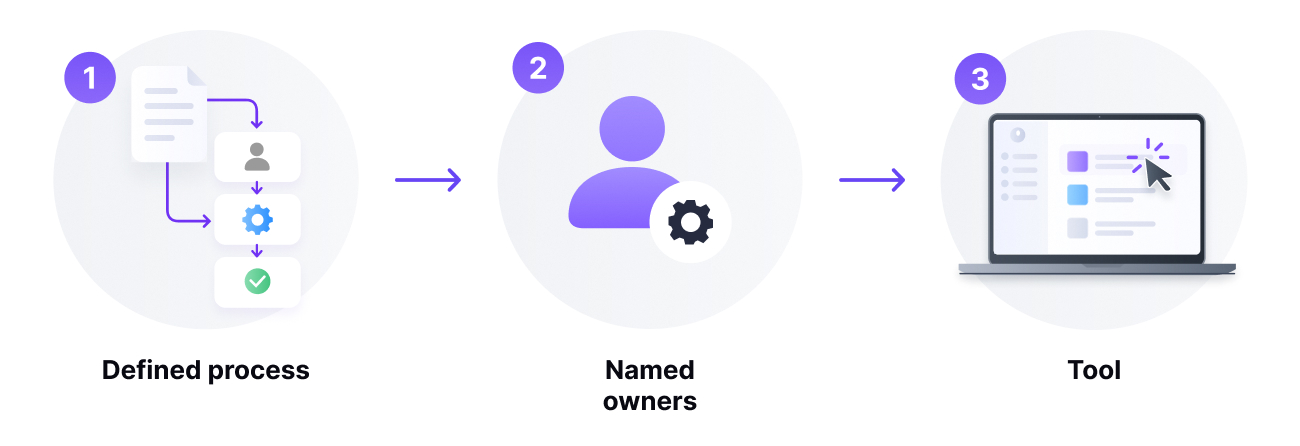
- A defined process: which stages each contract goes through, who approves each type, within what deadlines and what evidence it leaves behind. These are the 9 stages in this guide.
- Named owners: one owner per contract and per obligation. Without a name, no alert is worth anything.
- A tool that supports it: a single repository holding the signed version, an approval workflow with an audit trail, expiry alerts, electronic signature and access control. It can be a dedicated CLM software or a process management tool that models contracts; what it cannot be is a spreadsheet and a shared folder once there are more than a few dozen live contracts.
Six capabilities the tool must have for the system to work: a single repository searchable by counterparty, amount and dates; a request and approval workflow configurable by contract type; version control with a record of who changed what; expiry, renewal and milestone alerts sent to the owner; integrated electronic signature with evidence; and permissions by department with an access log, which is what the GDPR and the ENS require. Automatic extraction of dates, amounts and clauses with AI is not essential, but it is what makes the initial upload finish one day.
How to choose between the tools on the market is covered in our comparison of contract management software, and what exactly the CLM category is, in what CLM software is. This guide focuses on the system: the process, the people and the implementation.
Why it matters: the risks of getting it wrong
Poor contract management rarely produces one big shock; it produces many small ones that nobody adds up. World Commerce & Contracting, the international association of contracting professionals, estimates that companies lose around 9% of the value of their contracts through poor management. These are the mechanisms through which that value leaks away:
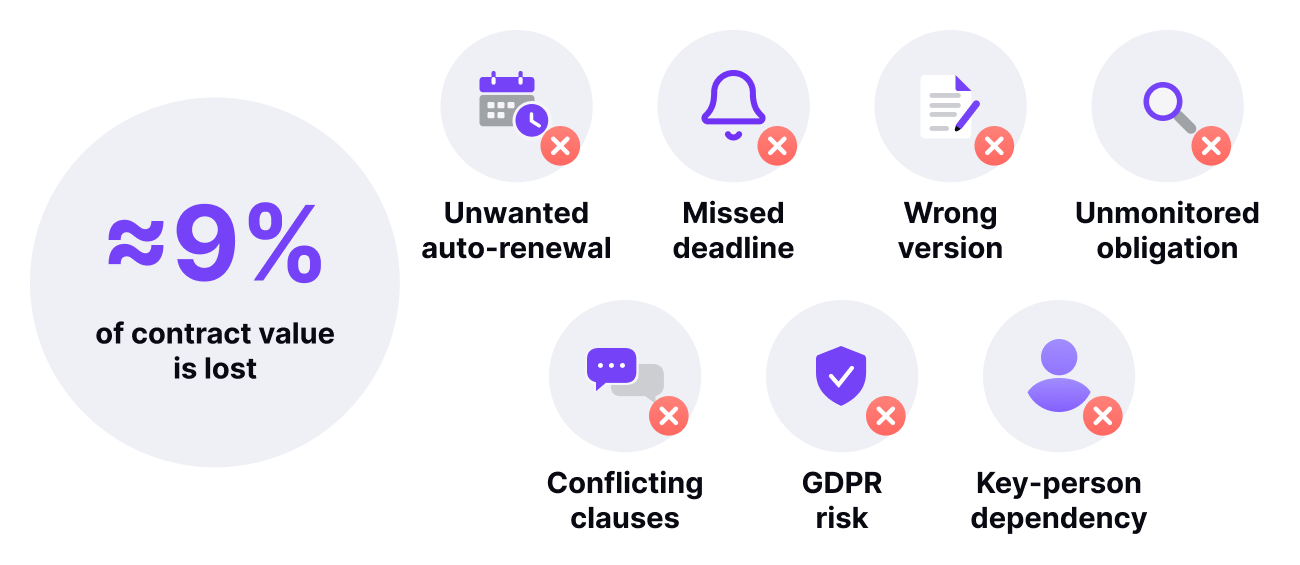
- Automatic renewals. Many service contracts renew automatically unless notice is given one or three months in advance. Every unwanted renewal is another year paying for something that is no longer needed or that could have been renegotiated.
- Missed deadlines. A guarantee that is not renewed in time, a policy that lapses, a licence that expires halfway through a project. The cost is not the contract: it is the project that grinds to a halt.
- Wrong versions. A draft prior to the final one gets signed, or two people negotiate over different versions of the same document. Later, in a dispute, nobody knows which text is binding.
- Obligations nobody tracks. Volume discounts that are never claimed, service levels breached without penalty, delivery milestones that slip without the agreed clause ever being applied.
- Contradictory clauses across contracts. Exclusivity, non-compete or payment terms agreed with one supplier that clash with what was signed with another, because nobody had the overall picture.
- Regulatory risk. Contracts full of personal data stored without access control, without a defined retention period and without knowing which country the server is in. In an audit, this becomes a non-conformity.
- Dependence on individuals. The only person who knew where the contract was and what had been verbally agreed leaves the company. The contractual knowledge left with them.
Who is involved in contract management
One of the reasons the process fails is that nobody owns it. Every contract has, as a minimum, these roles, even if in a small company several of them fall to the same person:
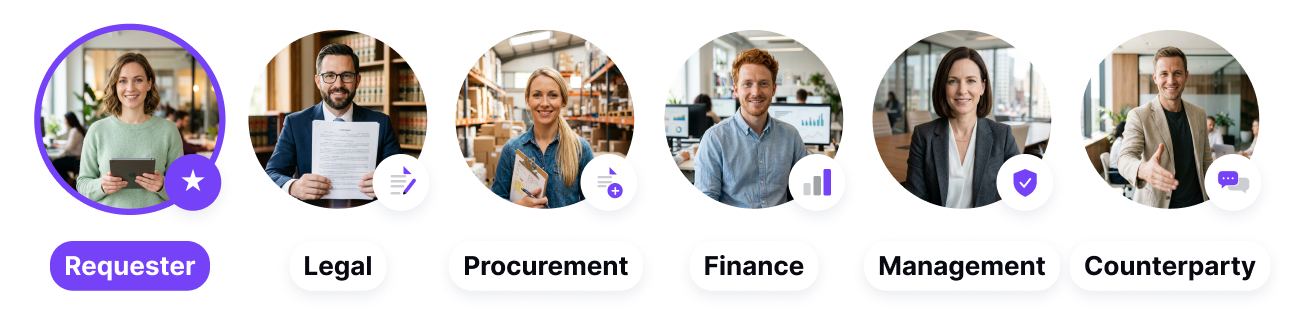
- The requester (or contract owner): the person who needs the contract and is accountable for its execution. They are the one who should receive the expiry alert and decide whether to renew.
- Legal: drafts or reviews the text, maintains the templates and validates deviations from standard clauses.
- Procurement: in supplier contracts, leads the commercial negotiation and is usually the entry point to the process. If your organisation has a formalised procurement process, the contract should be born inside it.
- Finance: approves the spend, controls payments and needs to know which multi-year commitments exist in order to budget.
- Management: signs, or authorises the signature, above certain amounts, according to the company’s delegation rules.
- The other party: supplier, customer or partner. The way they work shapes the negotiation and the signature, and should be taken into account when designing the process.
The practical rule: every live contract must have a named owner, and that information must be recorded in the same place as the contract.
The contract management process: the 9 stages of the lifecycle
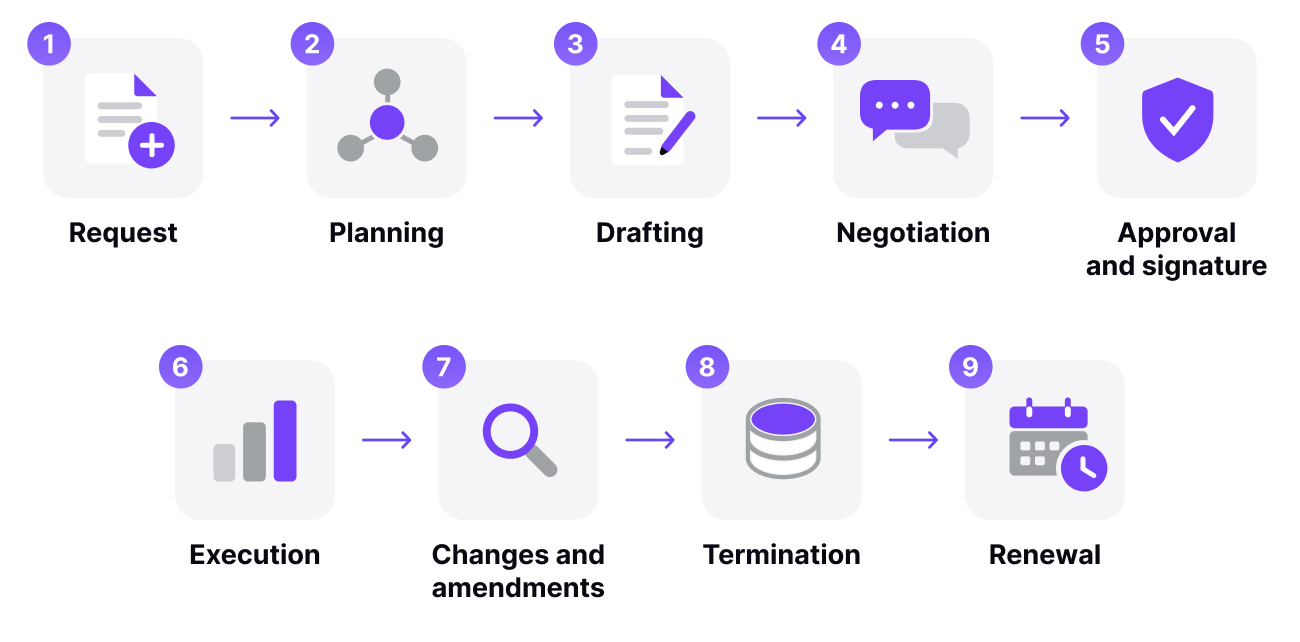
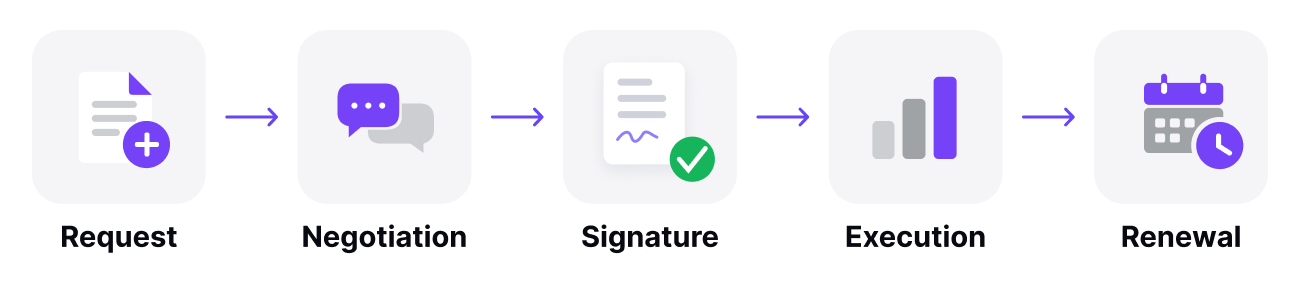
A contract’s lifecycle has nine stages. Not all of them apply to every contract (a standard non-disclosure agreement is barely negotiated), but it is worth knowing them all, because skipping one is the usual cause of the problems in the next. For each stage we describe what happens, what tends to go wrong and what you need to keep it under control.
1. Request
Someone identifies the need for a contract and communicates it to the team that will prepare it, usually legal or procurement. This is the moment to collect the information that will be needed later: parties, subject matter, amount, duration, special conditions, who will approve it.
What goes wrong: the request arrives by email, without enough information, and a chain of messages starts in order to complete it. Every contract begins with a delay of days before anyone has written a single line.
What you need: a single point of entry. A request form with mandatory fields guarantees that legal receives everything it needs in one go and keeps a record of who requested what, and when.
2. Planning
The type of contract, the starting template, the general conditions to be proposed, the timeline and the level of approval it will require are decided. Risk is also identified: a recurring order of office supplies is not the same as a five-year framework agreement with a critical supplier.
What goes wrong: this stage is skipped and drafting starts straight away. The result is a contract that later has to be redone because it does not fit the type of relationship, or that reaches signature without anyone having assessed its risk.
What you need: a classification of contracts by type and by risk, with clear rules about which template and which approval circuit applies to each one.
3. Drafting
The agreed terms are put in writing. The text must be clear and free of doubtful interpretations, which is why it usually falls to legal or to templates that legal has validated. This is also where the legal form is decided: for example, whether what is needed is a purchase agreement or a sale and purchase contract.
What goes wrong: each contract is drafted by copying the most similar one somebody can find, and with it come obsolete clauses, wrong names and errors that nobody remembers the reason for.
What you need: a library of approved templates, with alternative clauses for the usual cases, and ideally the ability to generate the document automatically from the data in the request, so that nobody ever types a tax ID again.
4. Negotiation
With the first draft on the table, the parties propose changes until they reach a text acceptable to both. It is the stage that consumes the most time and generates the most versions.
What goes wrong: versions travel as email attachments with names like “contract_v7_final_definitive”. The thread of what changed from the previous version and who accepted it gets lost, and in the end a text that is not the latest one gets signed.
What you need: version control with a single living document, comparison between versions and a record of who proposed and who accepted each change. Internal approvals of each version should go through a defined workflow, not through “ask them and see what they think”.
5. Approval and signature
The final text is approved internally according to the delegation rules (who can commit which amount) and signed. Depending on the contract, the signature may be handwritten or one of the types of electronic signature recognised by the eIDAS Regulation: simple, advanced or qualified. Once signed, the contract is in force, “in the portfolio”.
What goes wrong: it is printed, signed, scanned, and the paper original ends up in a drawer while the scanned copy circulates by email. Or it is signed without the approval of the person who had to give it being on record, and the problem surfaces months later.
What you need: an approval circuit that leaves evidence (who, when, which version) and an electronic signature with the legal validity appropriate to the contract, which returns the signed document directly to the repository.
6. Execution: rights and obligations
During the term, each party delivers what it signed up to: deliveries, payments, service levels, reports, confidentiality. And each party has the right to demand that the other does the same. It is the longest stage and the one that gets the least attention, because “the contract is already signed”.
What goes wrong: nobody extracted the obligations from the text into a calendar. Agreed discounts are not claimed, late-delivery penalties are not applied and the reports the supplier was supposed to deliver never arrive without anyone noticing their absence.
What you need: to turn clauses into data: dates, amounts, milestones and owners recorded alongside the contract, with alerts that warn the contract owner before each milestone, not after.
7. Changes, revisions and addenda
A live contract changes: the scope is extended, prices are adjusted, one of the parties is replaced after a merger. Each change is formalised in an addendum or annex that amends the original. It is also the moment to renegotiate a contract when market conditions have changed.
What goes wrong: addenda are filed separately from the contract they amend. Whoever consults the original contract applies conditions that are no longer in force.
What you need: for each addendum to be linked to its main contract, and for the key data (price, expiry, scope) to be updated in the register, not just in the document.
8. Termination
The contract comes to an end, whether through expiry of the term, early termination or breach. It is necessary to check that all obligations have been fulfilled (final payments, return of equipment, destruction or return of confidential information), to formally communicate the termination when the contract requires it, and to decide what happens to the information.
What goes wrong: the contract simply stops being mentioned. Invoices for a terminated service keep being paid, or documentation the law required to be kept is destroyed.
What you need: a close-out checklist and a retention policy that states how long each type of contract is kept after termination and what is done with the personal data it contains.
9. Renewal
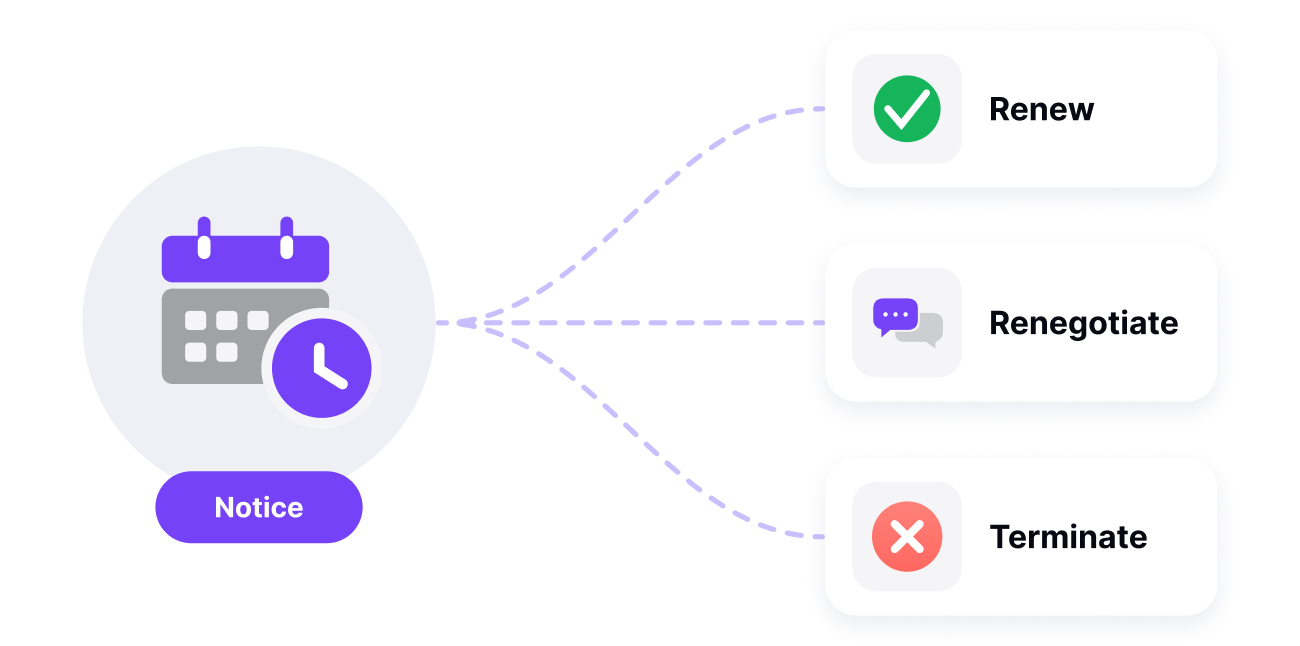
Before expiry, the company decides whether to renew on the same terms, renegotiate or let the contract end. Many contracts include automatic renewal clauses with a notice period for terminating them: if that period passes, the calendar makes the decision.
What goes wrong: the expiry notice arrives, if it arrives at all, when it is already too late to give notice. Automatic renewal is the most expensive way of not deciding.
What you need: staggered alerts (for example at 90, 60 and 30 days before the notice deadline, not the expiry date) sent to the contract owner, with the information needed to decide: actual consumption, incidents, market price.

Summary: what you need at each stage
| Stage | What you control | What you need |
|---|---|---|
| 1. Request | Legal receives all the information in one go | Request form with mandatory fields |
| 2. Planning | Contract type, risk and approval circuit | Contract classification and rules by type |
| 3. Drafting | Correct text from the first version | Approved templates and automatic document generation |
| 4. Negotiation | Which version is the right one and who accepted what | Version control and approval workflow |
| 5. Approval and signature | Evidence of approval and validity of the signature | Delegation rules and eIDAS-compliant electronic signature |
| 6. Execution | Fulfilment of obligations and rights | Clauses turned into dates, amounts and alerts |
| 7. Changes | Conditions in force after each addendum | Addenda linked to the contract and updated data |
| 8. Termination | Clean close-out and legal retention | Close-out checklist and retention policy |
| 9. Renewal | Deciding before the notice deadline | Staggered alerts to the owner with data to decide |
How to measure contract management: 7 KPIs
A process that is not measured cannot be improved, and contract management is almost never measured. These seven indicators are enough to know whether the process works, and all of them can be calculated if contracts are recorded in a single place with their key data:
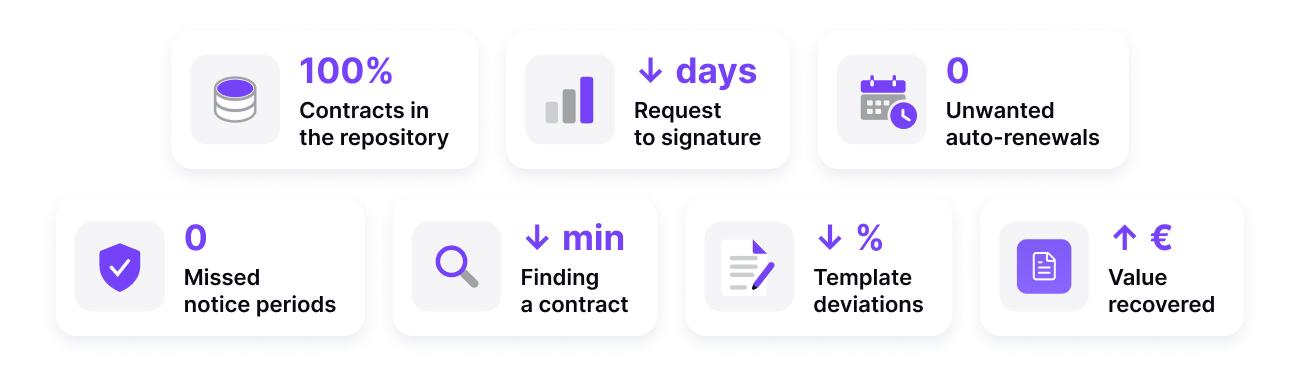
- Live contracts recorded. Percentage of contracts in force that are in the central repository with complete data. If it is not 100%, every other indicator is biased.
- Cycle time. Days from request to signature, by contract type. It is the indicator the business notices most: a sales contract that takes three weeks to sign is a sale at risk.
- Automatic renewals. Number of contracts renewed automatically without a recorded decision. The target is zero.
- Missed deadlines. Milestones, notice periods and expiry dates that passed without the planned action.
- Retrieval time. How long it takes someone to find a specific contract and the clause they are looking for. It should be measured in seconds; in many companies it is measured in emails.
- Deviations from template. Percentage of signed contracts with clauses that differ from the standard ones. The more deviations, the more risk and the more of legal’s time.
- Value recovered. Agreed discounts, penalties and bonuses that were actually applied. It is the most direct way of proving that the process pays for itself.
What Spanish regulations require of contract management
Managing contracts in Spain is not just a matter of efficiency. Several rules impose specific obligations on how contracts are signed, how long they are kept and how the data they contain is protected:
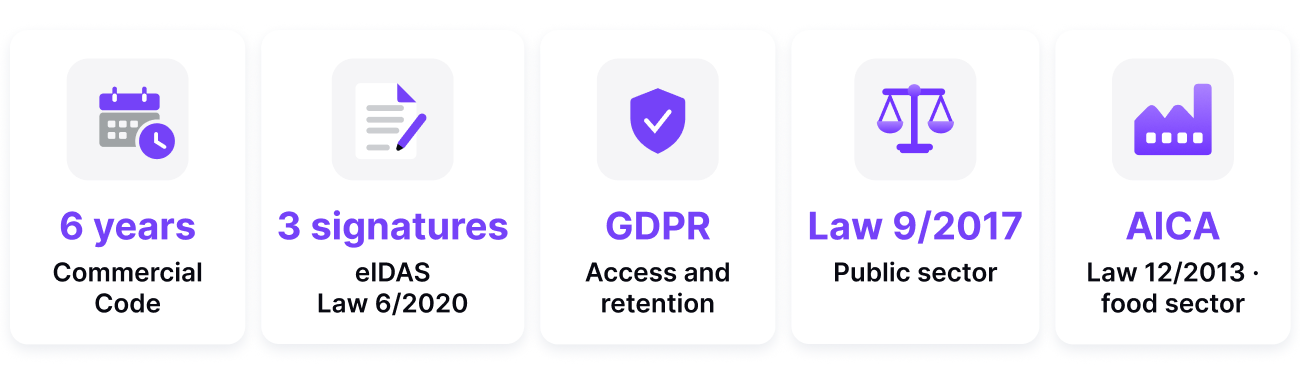
- Commercial record-keeping. Article 30 of the Spanish Commercial Code obliges businesses to keep their books, correspondence, documentation and supporting records for six years from the last entry. Contracts fall into that category, and the obligation survives the cessation of activity.
- Electronic signature. Regulation (EU) 910/2014 (eIDAS) defines simple, advanced and qualified electronic signatures, and establishes that an electronic signature cannot be denied legal effect solely because it is electronic. Spanish Law 6/2020 regulates trust service providers in Spain. Choosing the right type of signature for each contract is part of the process, not a technical detail.
- Data protection. A contract is full of personal data: signatories, representatives, employees, end customers. The GDPR requires access to be limited to those who need it, a retention period to be defined and the storage location to be known. Keeping contracts in shared folders without permission control is hard to justify in an audit.
- Public procurement. If your company contracts with the public administration, Spanish Law 9/2017 on Public Sector Contracts imposes requirements on form, deadlines and documentation of the file, and tender specifications increasingly demand information security guarantees from suppliers, such as compliance with the Spanish National Security Framework (ENS).
- Sector regulations. Some sectors have their own rules. In the food supply chain, for example, Spanish Law 12/2013 requires certain contracts to be formalised in writing and registered in the Food Contracts Register of the AICA.
The practical consequence of all this is that contract management needs evidence: who approved, who signed, which version, when it was accessed and how long it will be kept. A process based on emails and folders does not generate it.
7 contract management best practices
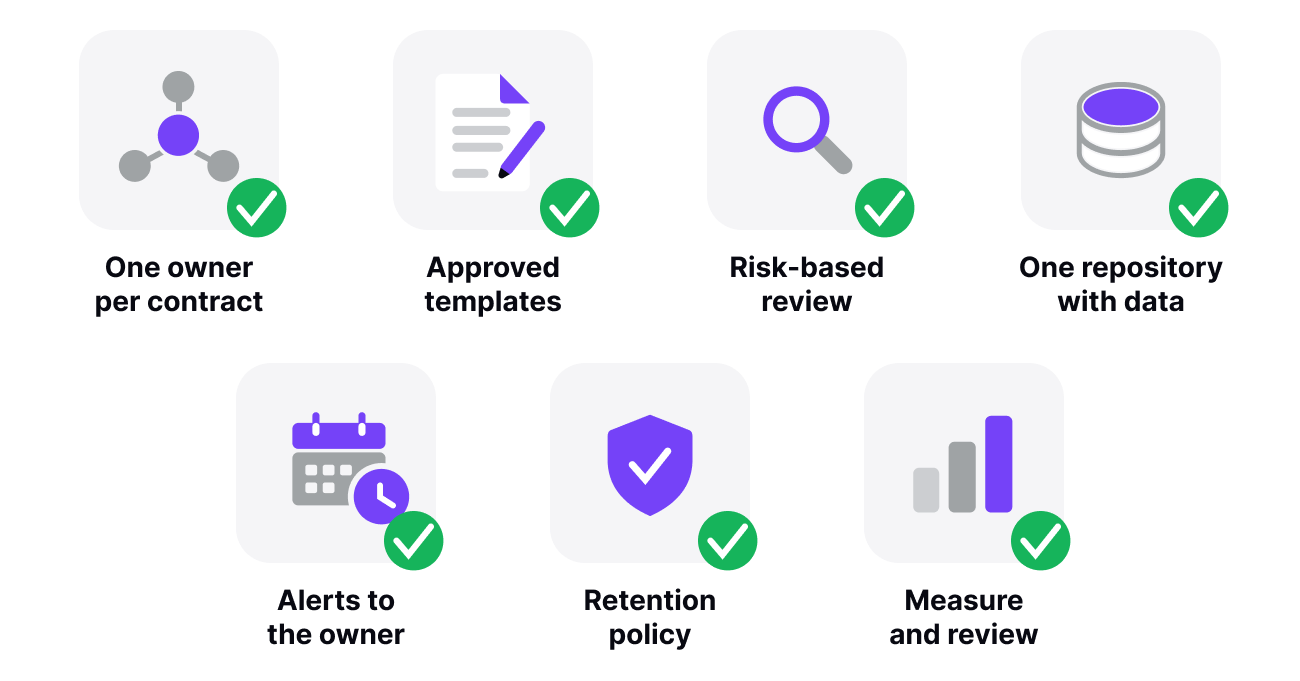
Organisations that control their contracts do not have more lawyers or more budget. They have these seven habits:
1. Define a process and an owner per contract
Write down the circuit a contract follows in your company from request to filing, with who does what at each step and which amounts require which approval. And assign every live contract a named owner. A process that exists only in the CFO’s head is not a process.
2. Work with approved templates
Maintain a library of templates by contract type, with pre-approved alternative clauses for the usual negotiations. Each template with its version and date. When someone needs to depart from the template, make it a visible exception, not the norm.
3. Review before signing, with a risk-based approach
Not every contract deserves the same review. Classify them by risk (amount, duration, criticality of the supplier, data they contain) and devote legal’s time to the ones that need it. A standard non-disclosure agreement can be approved in minutes; a multi-year framework agreement cannot.
4. A single repository, with data and not just documents
All live contracts in one place, with access permissions, and with their key information recorded as data: parties, subject matter, amount, start date, expiry, notice period, owner, obligations. The difference between a PDF archive and a contract register is that you can ask the latter “which contracts expire in the first quarter and with which suppliers?” and it answers.
5. Staggered alerts addressed to the owner
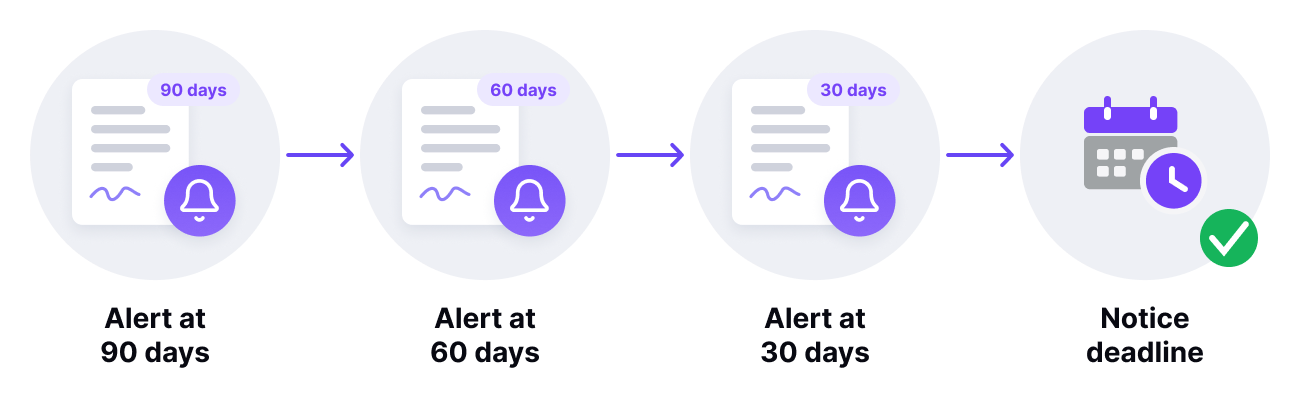
Set up automatic notifications for expiry dates, notice periods, price reviews and delivery milestones, far enough in advance to act and addressed to whoever has to decide. An alert that lands in a generic mailbox on the day of expiry is not an alert; it is a notification that it is already too late.
6. Retain by policy, not by inertia
Define how long each type of contract is kept after termination (the legal minimum in Spain is six years for commercial documentation), what happens to personal data at the end of that period and who can access the history. File the relevant correspondence alongside the contract: the negotiation explains the text.
7. Measure and review the process
Track the KPIs from the previous section at least quarterly and review the process once a year: which contract types get stuck, which clauses are always negotiated (and should therefore change in the template), which renewals slipped through. Contract management does not end with the signature or with filing; it ends when you have learned something for the next one.
When to stop managing contracts with Excel and folders
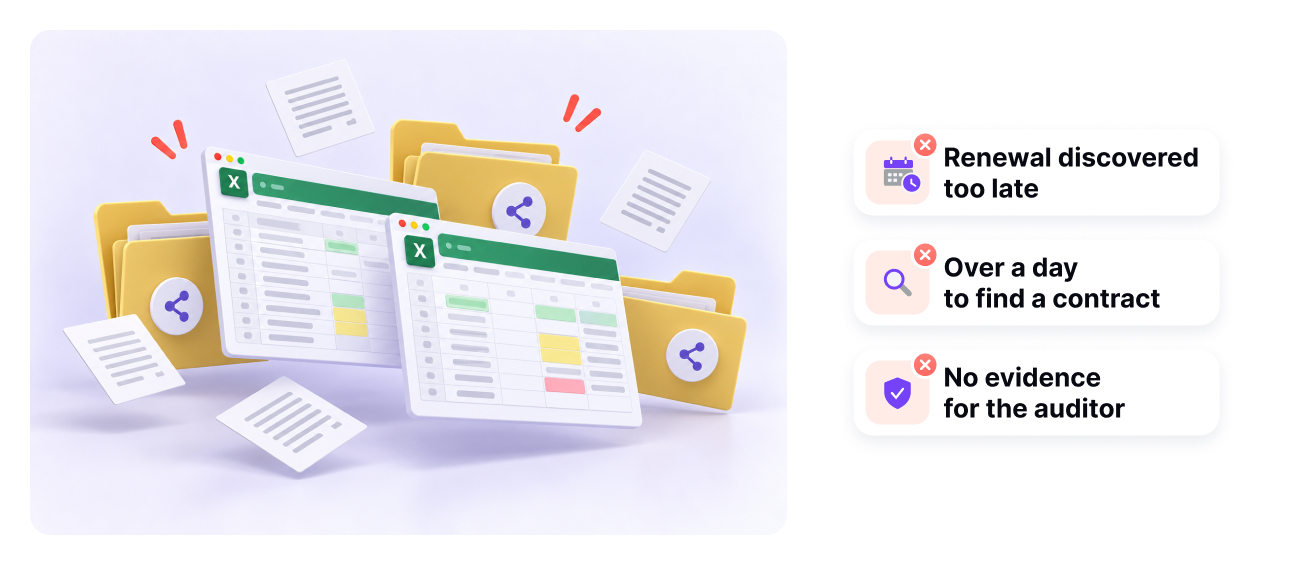
With a dozen contracts, a spreadsheet of expiry dates and a well-organised folder work fine. The problem appears when several people manage contracts at the same time, when you have to prove who approved what, or when the number of live contracts exceeds what one person can hold in their head. Three signs that you have reached that point:
- You have discovered an automatic renewal after it happened.
- It has taken you more than a day to locate a contract or to find out which version was the signed one.
- An auditor or a customer has asked you for evidence of approval or access and you did not have it.
If you recognise yourself in any of these, the next step is choosing a tool. In which contract management software to choose we compare the options available in Spain by process, regulation and price, and in how to create a contract workflow we explain how to turn the process in this guide into an automated flow.
How to implement a contract management system in 6 steps
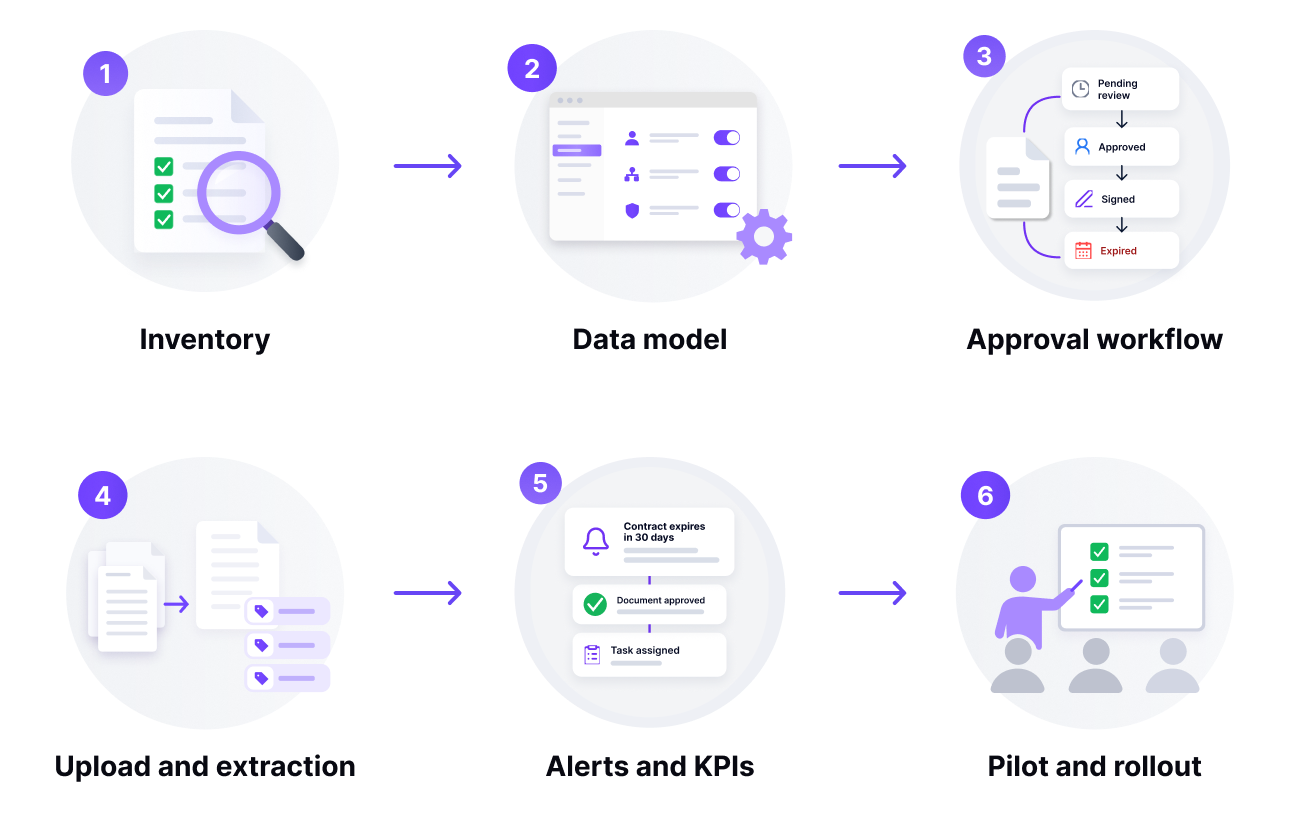
Implementing the system does not start with buying the software: it starts with knowing which contracts you have. This is the order that works, with the typical mistake at each step.
- Inventory. Locate every live contract, in email, in folders, in drawers and in suppliers’ hands, and record five data points for each: counterparty, subject, amount, end date and notice period. Typical mistake: trying to load the historical ones too. Live contracts first.
- Data model. Define the contract types (supplier, customer, employment, lease, licence), the mandatory fields for each type and the default owner. Typical mistake: a single “contract” type with forty fields that nobody fills in.
- Approval workflow. For each type, who requests, who reviews, who signs and above what amount an additional approver steps in. Typical mistake: copying the org chart instead of the real risk. A €300 contract does not need senior management.
- Upload and extraction. Upload the live contracts to the tool and use automatic extraction to fill in dates, amounts and clauses; review by hand only the highest-value ones. Typical mistake: typing everything in, which is what makes the upload never end.
- Alerts and KPIs. Switch on notice-period and renewal alerts to the owner with enough lead time, 60 to 90 days for service contracts, and measure the 7 KPIs in this guide from day one. Typical mistake: alerts sent to a generic mailbox that nobody reads.
- Pilot and roll-out. Start with one department for a quarter, procurement is usually the best choice, measure, correct the model and extend to the rest. Typical mistake: rolling out to the whole company on the same day.
A well-implemented system shows within 90 days: no automatic renewal without a decision, any contract located in under a minute, and approval evidence ready for any auditor.
How R2 Docuo applies this process
Everything described in this guide is what the R2 Docuo contract manager does: request form, contract generation from templates, approval workflow with version control, electronic signature, a register of obligations and expiry dates with alerts to the owner, and an AI that reads each contract and extracts the key dates, amounts and clauses so that nobody has to type them in. It can be used from the browser, from the Windows desktop application or directly from Claude, ChatGPT or Gemini, without opening the application.
The service is certified under the Spanish National Security Framework (ENS) at HIGH level, hosts its data in Spain and is used by organisations such as Grupo IFA, FNAC, RACE, Navantia and TÜV SÜD. Its users rate it 4.6 out of 5 on G2, across 98 verified reviews.
Frequently asked questions about contract management
It is the combination of a defined process, named owners and a tool with which an organisation keeps its contracts under control throughout their whole lifecycle. The software industry calls it CLM (Contract Lifecycle Management). The tool provides a single repository, an approval workflow, expiry alerts, electronic signature and access control; the process and the owners are provided by the company.
It is the set of tasks an organisation uses to keep its contracts under control throughout their whole lifecycle: request, planning, drafting, negotiation, approval and signature, execution of obligations, changes, termination and renewal. Its goal is for every contract to be signed as negotiated, fulfilled as signed, and renewed or terminated by decision, not by oversight.
Nine: request, planning, drafting, negotiation, approval and signature, execution of rights and obligations, changes and addenda, termination and renewal. Not every contract goes through all of them with the same intensity, but skipping one usually causes problems in the next.
In practice they are used as synonyms. Strictly speaking, contract administration is the post-signature phase (monitoring compliance, payments and expiry dates), whereas contract management covers the complete lifecycle, from request to renewal or termination.
As a person, the contract manager or contract owner coordinates the process: collects requests, prepares drafts with legal, leads the negotiation, secures approvals and signature, records obligations and expiry dates, and decides renewals with the business. As a tool, a contract manager is the software that centralises contracts and automates those tasks.
Article 30 of the Spanish Commercial Code requires commercial documentation, contracts included, to be kept for six years from the last entry made in the books. Some sector or tax rules may extend that period, and the personal data they contain must be handled under the GDPR during and after that period.
With indicators such as the percentage of live contracts recorded in the central repository, the cycle time from request to signature, the number of automatic renewals, missed deadlines, the time it takes to retrieve a contract, deviations from template, and the value recovered in discounts and penalties actually applied.